Scyn Alternatives for Plotting a Novel From Cause to Finished Draft

Scyn is visual story-planning software built on one clear idea. Each scene is a card, and each arrow between cards states what causes what. A disconnected card exposes a dead-end thread, and a missing arrow shows a turn the story has not earned. Few tools make you answer “why does this happen?” as directly, and for plot-driven fiction that discipline is valuable.
Scyn is also honest about its scope. Its own homepage says it is not a full writing suite and tells writers to draft in another application. That clarity is exactly why people look for Scyn alternatives: some want a different kind of map, some want chronology rather than causality, and some want the plan and the manuscript in the same place.
This guide compares three alternatives, using each vendor’s own pricing and feature pages, checked in August 2026.
The short answer. For timeline-based plot lines and lots of templates, choose Plottr. For precise chronology and custom calendars, choose Aeon Timeline. For a plan that flows straight into the manuscript, in one offline application, choose NovelOS Studio.
Scyn Alternatives Compared
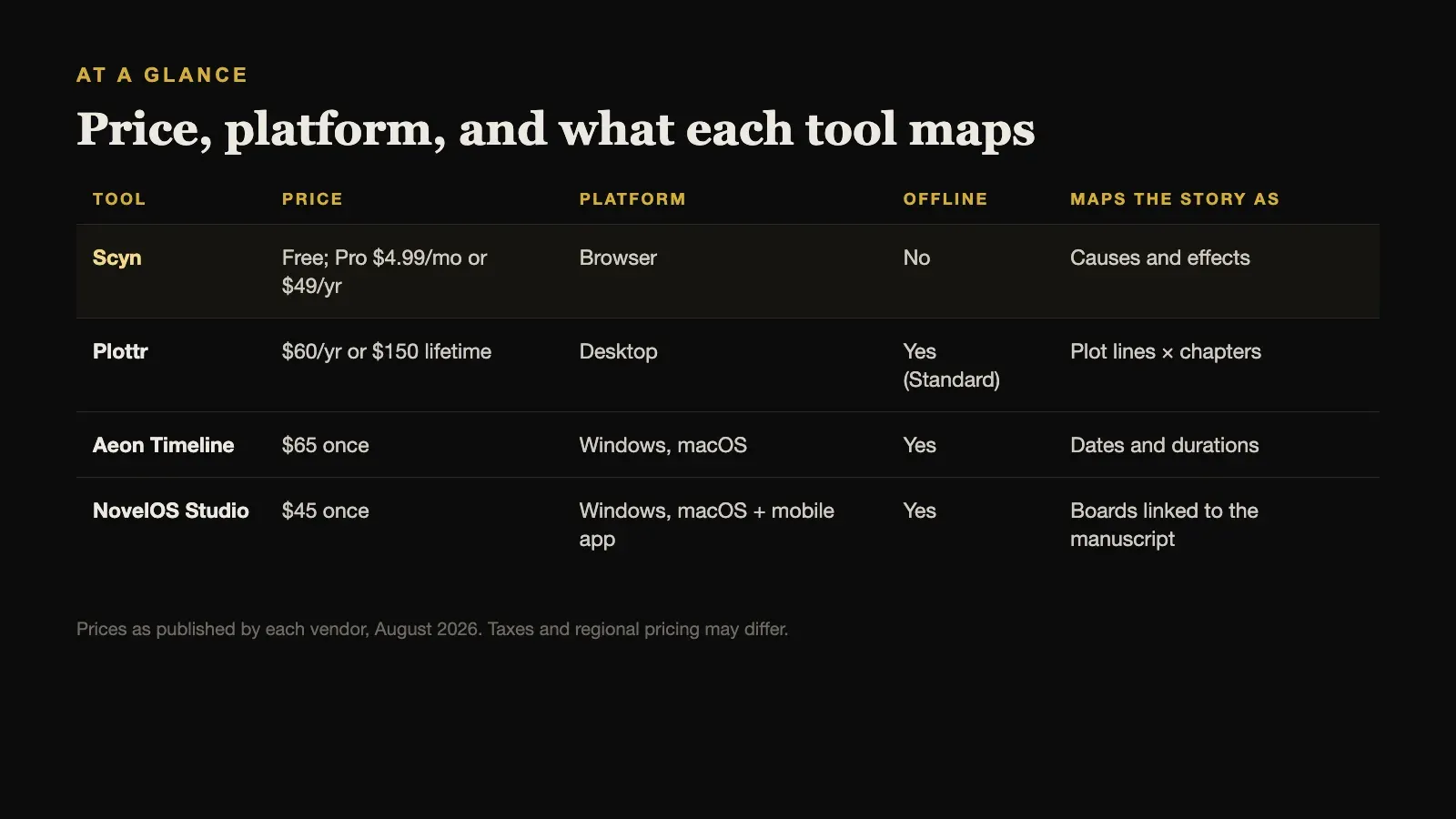
| Tool | Price | Platform | Offline | Maps the story as |
|---|---|---|---|---|
| Scyn | Free; Pro $4.99/mo or $49/yr | Browser | No | Causes and effects |
| Plottr | $60/yr or $150 lifetime | Desktop | Yes (Standard) | Plot lines × chapters |
| Aeon Timeline | $65 once | Windows, macOS | Yes | Dates and durations |
| NovelOS Studio | $45 once | Windows, macOS + mobile app | Yes | Boards linked to the manuscript |
Prices are as published by each vendor in August 2026 and exclude tax.
What Scyn Includes, and What It Costs
From Scyn’s own pages:
- Free: $0 forever, no card required. One active project, up to 100 scenes and 200 links, act, chapter, and colour filters, five retained snapshots, and PNG export.
- Pro: $4.99 per month or $49 per year. Unlimited projects, up to 1,000 scenes and 2,000 links per map, Story Mode, Cast and Places, goals, statistics, sharing with up to five collaborators, 30 restorable versions, and PDF, DOCX, and JSON export.
- Templates: ten editable visual structures, including Three-Act Structure, Save the Cat, Hero’s Journey, Character Arc, and a Worldbuilding Map.
- Platform: a web application in a modern browser, with projects saved to your account and synced across devices.
- AI: a firm no-AI promise. Scyn does not read your manuscript, generate scenes, suggest plots, or train models on your stories.
Story Mode is the bridge to writing. It returns the mapped scenes to chapter order while keeping causes visible, so you can check sequence before you draft elsewhere.
1. Plottr: Best for Timeline Plot Lines and Templates
Plottr is the best-known visual outliner for fiction. Where Scyn draws a graph of causes, Plottr lays plot lines out as rows against chapters, which makes it easy to see how a main plot, subplots, and character arcs run in parallel through the book. It also has a large template library and supports planning across a series.
Plottr Standard costs $60 per year or $150 for a lifetime licence, with no monthly option, and works offline as a desktop application. Plottr Pro, with cloud features, costs $9.99 per month, $99 per year, or $599 lifetime.
Choose Plottr when you think about a novel as parallel threads moving through chapters, rather than as a web of causes, and you want offline desktop planning.
2. Aeon Timeline: Best for Precise Chronology
Aeon Timeline answers a different question from Scyn. Scyn asks why one scene leads to another; Aeon Timeline asks exactly when everything happens. It places events on absolute or relative timelines, connects them to people, places, and story arcs, calculates ages and durations, and supports custom calendars.
It costs $65 once for the current version, including twelve months of updates, and runs on Windows and macOS.
Choose Aeon Timeline when the risk in your book is chronological, such as a historical novel, a multi-generational saga, or a fantasy world with its own calendar.
3. NovelOS Studio: Best When the Plan Should Become the Manuscript
Scyn deliberately stops at the plan. The practical cost is that your structure lives in one application and your prose in another, so every structural change has to be copied across by hand.
NovelOS Studio keeps both in one project. Its Blueprint boards are freeform visual canvases where scenes can be arranged and connected, and one book can carry several boards for the main arc, subplots, clues, and revision passes. Each scene on a board is the same scene in the manuscript, with its viewpoint, status, synopsis, cast, and location attached. Characters and family trees, worldbuilding and maps, and writing goals sit alongside.
To be fair to Scyn, NovelOS does not force every connection to state a cause in the way Scyn’s arrows do, and Scyn’s templates are faster for a first structural sketch. NovelOS’s strength is that the plan does not have to be re-typed to become the book.
It costs $45 once for Windows and macOS, works fully offline with projects on your own computer and no account, and the same licence activates an installable mobile app. AI features are optional and run on your own key. It exports DOCX, EPUB, PDF, RTF, Markdown, HTML, and plain text.
Choose NovelOS Studio when you want to plan visually and then write in the same place, without keeping two applications in sync.
When Scyn Is Still the Right Choice
Stay with Scyn if causal logic is the thing you most need to get right. Mysteries, thrillers, and heist stories depend on every event having a reason, and a map that refuses to let a scene float free is genuinely useful for them.
Its free plan is also unusually usable, with a hundred scenes and two hundred links, which is enough to plan a complete novel. Its templates give a fast start, Pro sharing lets up to five people work around the same structure, and its no-AI promise is as firm as any tool in the category.
Moving a Plan Out of Scyn
Check what your plan lets you export before you decide to switch. On the free plan, Scyn exports the map as a PNG image, which is a picture of your structure rather than editable data. Pro adds PDF, DOCX, and a JSON download of your account data, though Scyn’s pages do not say that JSON can be re-imported to rebuild a project.
In practice, moving a Scyn plan means rebuilding it. The DOCX export is the most useful starting point, because it carries scene order and notes as text that other applications can import. Keep the PNG or PDF of the map open beside you while you recreate the structure; the connections are the part most easily lost, and they are the reason you used Scyn in the first place.
A Plotting Check You Can Run in Any Tool
Scyn’s central idea works even without Scyn. Before you draft, write one line for every scene that finishes the sentence “This happens because…”. If you cannot finish the sentence, the scene is either unconnected or relying on coincidence. Then write a second line: “…and as a result…”. A scene that causes nothing may be doing atmosphere or character work, which is fine, but it should be doing so on purpose.
Run the check twice: once on the outline, and once on the finished draft, because scenes that were connected in the plan often lose their connections in revision. Whatever software you use, the discipline is the same, and it catches the problems that readers call “it just happened”.
How to Choose
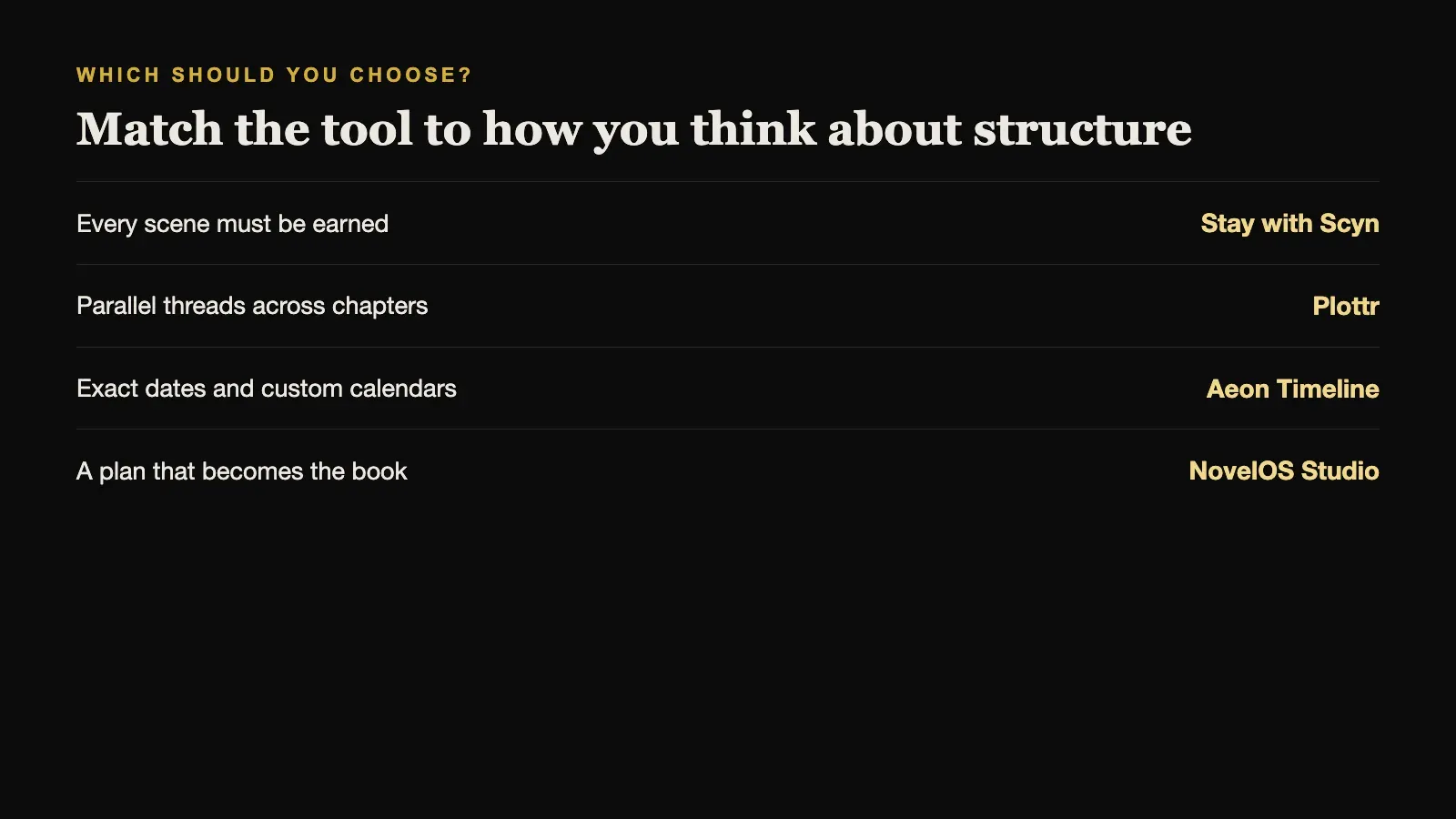
Match the tool to how you think about structure:
- As causes and effects, where each scene must be earned: Scyn.
- As parallel threads across chapters: Plottr.
- As exact dates and durations: Aeon Timeline.
- As a plan that should turn directly into the book: NovelOS Studio.
Many writers use one planning tool and one drafting tool. The question is whether you are happy maintaining both, or would rather have one.
Sources and further reading
Prices and features were checked against first-party sources in August 2026 and may change.