Edda Alternatives for Novelists Comparing Offline Writing Studios
Edda is one of the most complete offline author studios you can buy, and one of the cheapest. Its desktop edition costs $39 once for Windows, macOS, and Linux, covers three devices, includes every feature, and comes with a 30-day money-back guarantee. An Android edition is also available. Inside, it combines a manuscript editor, worldbuilding with characters, locations, factions, and lore, relationship webs and family trees, eight structure templates, custom calendars and eras, sprints, dictation, deterministic craft reports, beta-reader management, and publishing tools with ISBN validation and KDP and IngramSpark checks.
That is a lot for $39, and Edda deserves to be on any shortlist. Writers look for Edda alternatives for narrower reasons: they want a more mature tool with a long track record, a free and open-source option, stronger visual plotting and maps, or simply a second opinion before committing a multi-year project to one application.
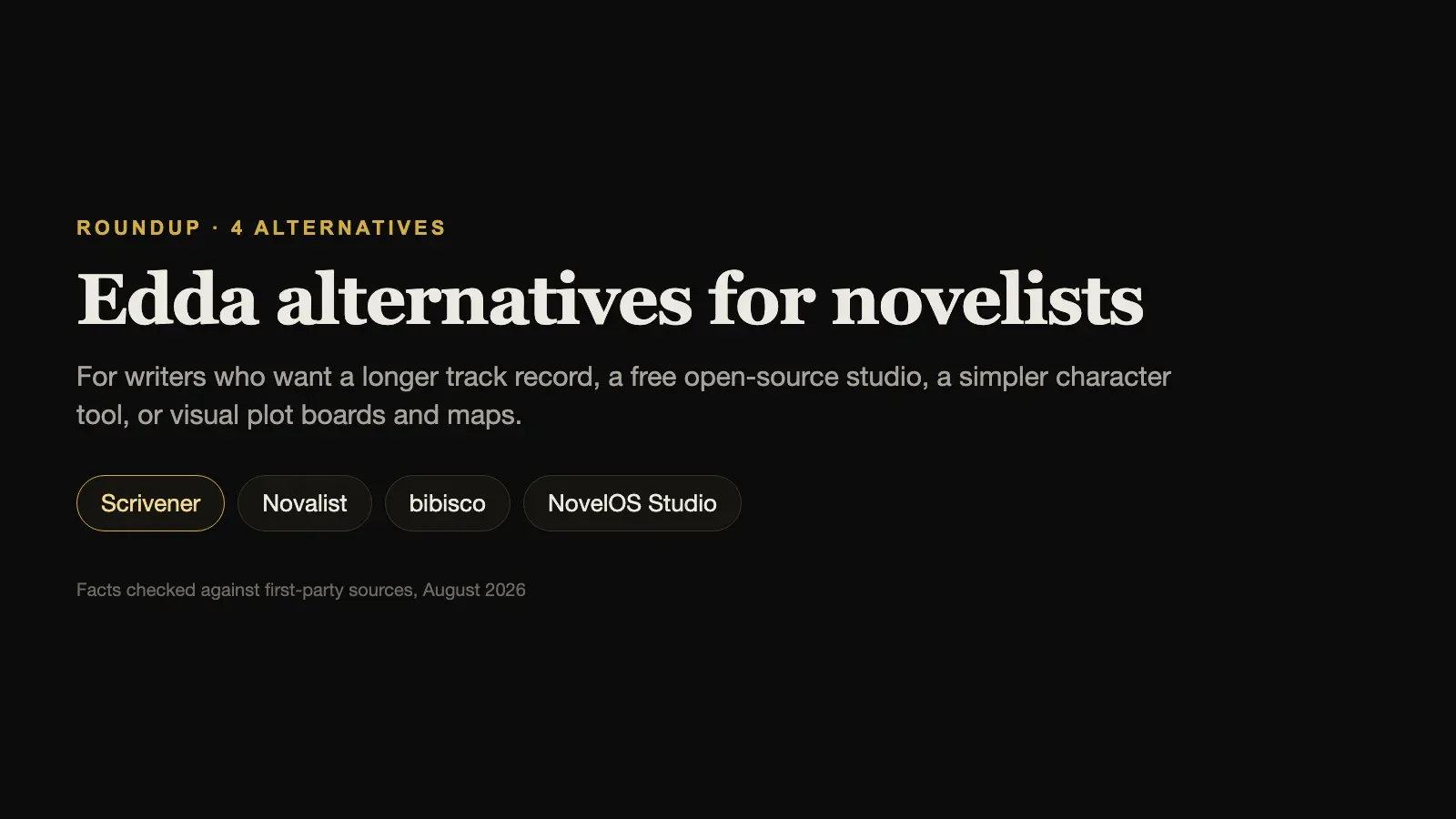
This guide compares four alternatives, using each vendor’s own pricing, download, and feature pages, checked in August 2026.
The short answer. For the most established long-document writing tool, choose Scrivener. For a free, open-source studio with maps and Git, choose Novalist. For a free, simpler tool focused on characters, choose bibisco. For visual plot boards, map-making, and a connected story system, choose NovelOS Studio.
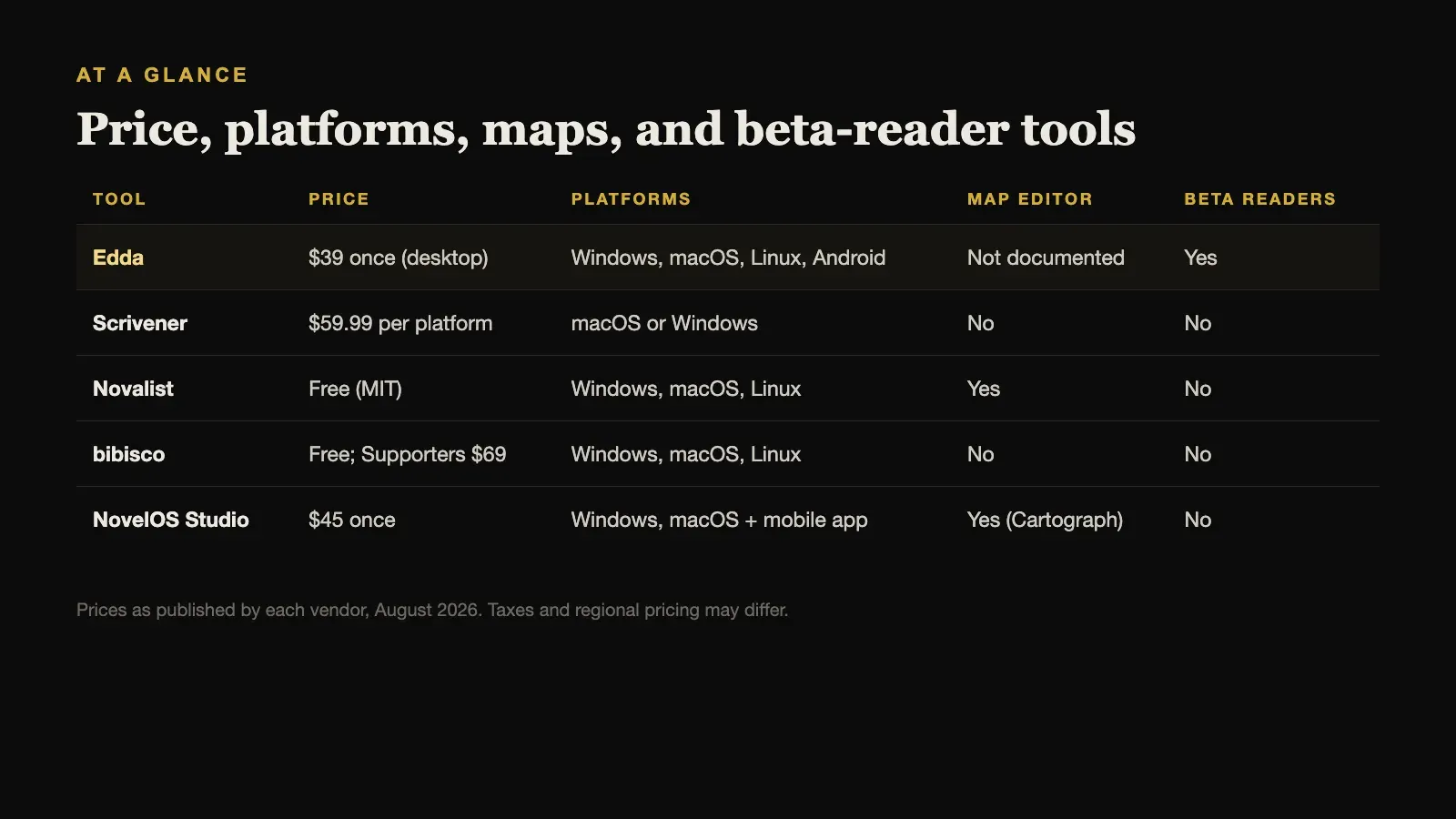
Edda Alternatives Compared
| Tool | Price | Platforms | Map editor | Beta readers |
|---|---|---|---|---|
| Edda | $39 once (desktop) | Windows, macOS, Linux, Android | Not documented | Yes |
| Scrivener | $59.99 per platform | macOS or Windows | No | No |
| Novalist | Free (MIT) | Windows, macOS, Linux | Yes | No |
| bibisco | Free; Supporters $69 | Windows, macOS, Linux | No | No |
| NovelOS Studio | $45 once | Windows, macOS + mobile app | Yes (Cartograph) | No |
Prices are as published by each vendor in August 2026 and exclude tax.
What Edda Does Well, and Where to Look Closely
Edda’s strengths are breadth and price:
- Platforms. Windows 10 and 11, macOS on Intel and Apple Silicon, Linux as AppImage and DEB packages, and Android.
- Offline work. Writing, worldbuilding, its Skald assistant, and publishing are described as working offline, with creative data stored locally.
- Beta readers. Reader profiles, deadlines, version assignment, questionnaires, chapter comments, and watermarked review copies. Few tools do this at all.
- Publishing preparation. EPUB 3, print-ready PDF in six trim sizes, front and back matter, ISBN validation, and retailer checks.
A few details deserve a closer look before you buy. Edda’s download guide currently asks Mac users to run a Terminal command while Apple code-signing approval is pending, and direct Android installation may require allowing unknown sources. Its privacy policy describes email collection, Firebase authentication, licence validation, and optional encrypted sync, so while the manuscript stays local by default, the wider service is not account-free. And its official pages do not describe a dedicated map editor.
None of those are reasons to avoid it. They are the kind of detail worth knowing before you commit a novel to any tool.
1. Scrivener: Best Established Long-Document Tool
Scrivener has been the reference point for novel-writing software for many years. Its binder, corkboard, outliner, research storage, snapshots, and Compile system are mature and extremely flexible, and there is a large body of tutorials, books, and community answers for almost any workflow.
It costs $59.99 for macOS or Windows, with a $37.95 cross-grade for the second platform, and works offline. It has no Linux or Android version, no built-in worldbuilding database or maps, and no beta-reader management. Compile is powerful but has a real learning curve.
Choose Scrivener when you value a long track record and deep manuscript control over an all-in-one feature list.
2. Novalist: Best Free, Open-Source Alternative
Novalist is the closest free match to Edda’s breadth. It is open source under the MIT licence and runs on Windows, macOS, and Linux. A project is a plain folder of scene files and JSON metadata, with a built-in Git client for version history.
It has a Codex for characters, locations, items, and lore with custom entity types, a layered map editor, a plot grid, corkboard, outliner, and timeline, goals and deadlines, and export to EPUB, DOCX, PDF, Markdown, Final Draft, and LaTeX. It can also render a book to audio. The trade-off is complexity and support: its power comes with more configuration, and the project describes itself as provided as is.
Choose Novalist when you want Edda-level breadth for free, have Linux, and are comfortable with a technical tool.
3. bibisco: Best Free, Simpler Option
bibisco has a narrower scope than Edda, and that is its appeal. Its Community Edition is free, the Supporters Edition costs $69 once, and it runs offline on Windows, macOS, and Linux. Its core is structured character development, with detailed character interviews and novel analysis, beside a straightforward writing workspace.
It does not offer beta-reader management, publishing checks, or maps.
Choose bibisco when you want a free, calm tool built around getting to know your characters.
4. NovelOS Studio: Best for Visual Plotting and Maps
NovelOS Studio is the most direct paid alternative, and the difference is emphasis. Edda leads on publishing preparation, beta readers, Android, and Linux. NovelOS leads on visual story architecture.
Its Blueprint boards are freeform visual canvases, and one book can carry several of them, for the main arc, subplots, clues, and revision passes. Cartograph is a dedicated map editor for drawing your world’s geography. Characters have family trees, worldbuilding records take custom properties, and every scene in the manuscript carries its viewpoint, status, synopsis, time, cast, and location, so the plan, the world, and the prose stay connected.
It costs $45 once for Windows and macOS, and the same licence activates an installable mobile app. It works fully offline with the project on your own computer and needs no account. It exports DOCX, EPUB, PDF, RTF, Markdown, HTML, and plain text, and moves a whole project between computers as one .novelos archive. AI features are optional and run on your own provider key.
What it does not have is Edda’s beta-reader tools, ISBN and retailer checks, or Linux support.
Choose NovelOS Studio when seeing the structure of the book, and the geography of the world, matters more to you than publishing administration.
When Edda Is Still the Right Choice
Stay with Edda, or choose it, if you work on Linux or Android, if you manage beta readers, or if you plan to self-publish and want ISBN and retailer checks in the same application. At $39 with a 30-day money-back guarantee, it is also a low-risk purchase to test with a real chapter.
The honest summary is that Edda and NovelOS cost almost the same, so the $6 difference should not decide anything. Workflow should.
How to Test Two Studios Fairly
Comparing all-in-one tools is harder than comparing editors, because each one only shows its value once a project is inside it. A fair test takes an afternoon:
- Use the same material in both. Import the same three chapters, create the same five characters, and add the same two locations.
- Make one structural change. Move a scene to a different chapter and change its viewpoint character. Notice how many places you had to update, and whether anything fell out of sync.
- Export the result. Produce the format you actually need, whether that is DOCX for an editor, EPUB for readers, or a PDF, and open the file in another program.
- Move the project. Copy it to a second computer the way you would in real life, and open it there.
The tool that makes those four steps feel ordinary is the one to keep.
How to Choose
Start with the platform, because it narrows the list quickly. On Linux, choose between Edda, Novalist, and bibisco. On Android, Edda. On Windows or macOS, all five are open to you.
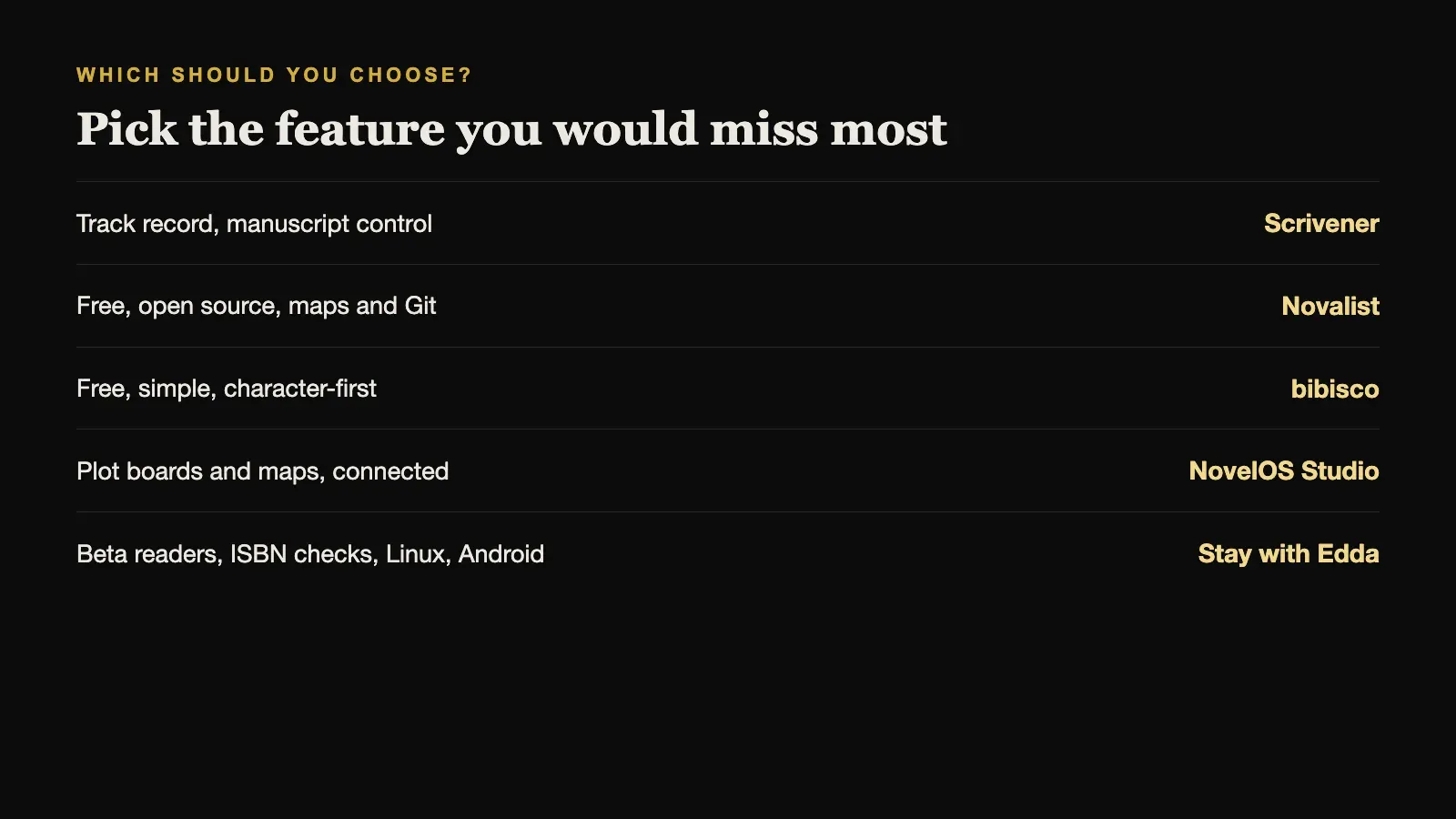
Then pick the feature you would miss most. Beta readers and publishing checks point to Edda. Track record and manuscript control point to Scrivener. Free and open source point to Novalist or bibisco. Plot boards and maps point to NovelOS Studio.
Sources and further reading
Prices and features were checked against first-party sources in August 2026 and may change.