
Read faster on every page.
Bionic Reader is a free browser extension that bolds the front of each word, so your eyes move quicker and tire less. Add it and try it on your next page.
 Add to Chrome
  Add to Firefox
 Free forever. No sign-up. See it work below.
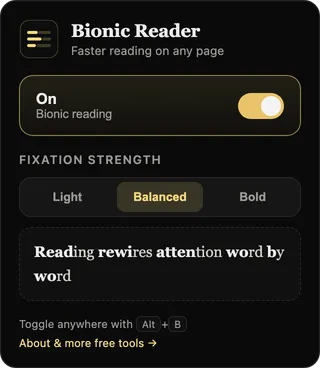
What is bionic reading?
Bionic reading bolds the first part of each word. Your eyes land on that bold anchor and your brain fills in the rest, so you read with less effort and hold your focus for longer.
Bionic Reader adds this to any web page for free. Switch it on for a long article or a full inbox and keep your place with less strain.
- Price
- Free forever
- Works in
- Chrome, Edge, Brave, Arc, Firefox
- Sign-up
- None
- Privacy
- Stays on your device
- Turn on
- One tap, or Alt + B
Try it free, right now
Switch it on, change the strength, and see the difference. This is what you get on every page.
The eye does not read letter by letter. It jumps, pauses, and fills the gaps from memory. Bionic reading works with that habit. It anchors the start of each word so your gaze has somewhere to land, then lets your mind carry the rest of the sentence.
How to install Bionic Reader
-

Add it free
One click adds Bionic Reader to your browser. No account, no card.
-

Switch it on
Tap the toolbar button on any page, or press Alt+B, and pick your strength.
-

Read faster
Your eyes lock onto each word. Turn it off anytime and the page looks the same.
What Bionic Reader does

Works on any website
Bionic Reader applies bionic reading to any page with text: articles, newsletters, documentation, email, and drafts written in a web editor. There is no per-site setup.

Three reading strengths
Choose Light, Balanced, or Bold to control how much of each word is bolded. Balanced suits most reading, and Bold helps with dense text or tired eyes.

Private by design
Bionic Reader runs entirely on your device and requests no network access, so no page you read is ever sent anywhere. There is no account and no tracking.

On and off in one tap
Toggle bionic reading from the toolbar button or with Alt+B. Switching it off restores the page exactly as it was, and the extension never alters the sites you visit.
Add Bionic Reader free
Pick your browser. No account, no card.
- Nothing leaves your device
- Works on any site with text
- Switch it off and the page is unchanged
Good to know before you add it
What is bionic reading?
It bolds the front of each word so your eyes fixate less and read faster. Bionic Reader adds it to any web page for free.
Is it really free?
Yes. It is free, with no account and no card. Add it and start reading.
Will it help me read faster?
Many readers move through pages with less effort. It is free to try, so test it on your next page.
Does it work on every website?
Yes. Turn it on for articles, newsletters, docs, email, or your own drafts in a web editor.
Is my reading private?
Yes. It runs on your device, keeps no account, tracks nothing, and never sends your pages anywhere.
The same reading mode, over your own manuscript
Bionic Reader is free and stays free. The mode it brings to the web is built into NovelOS Studio as well, where it runs over the chapter you are drafting, so you can reread your own writing with fresh eyes and catch what you had stopped seeing.
Plan it, write it, revise it in one place.
NovelOS Studio keeps your plot, characters, world and manuscript in one project on your own device. Write by keyboard or by voice, bring in the draft you already have with Smart Import, work through your revision with margin notes, and see the book as pages in Book Preview before you export it. It costs $45 once, for Windows, macOS and your phone.

Can’t play it here? Watch it on YouTube
Character Creation
The Oracle
Use AI to instantly brainstorm names, backstories, and personality traits for new characters whenever you are stuck.
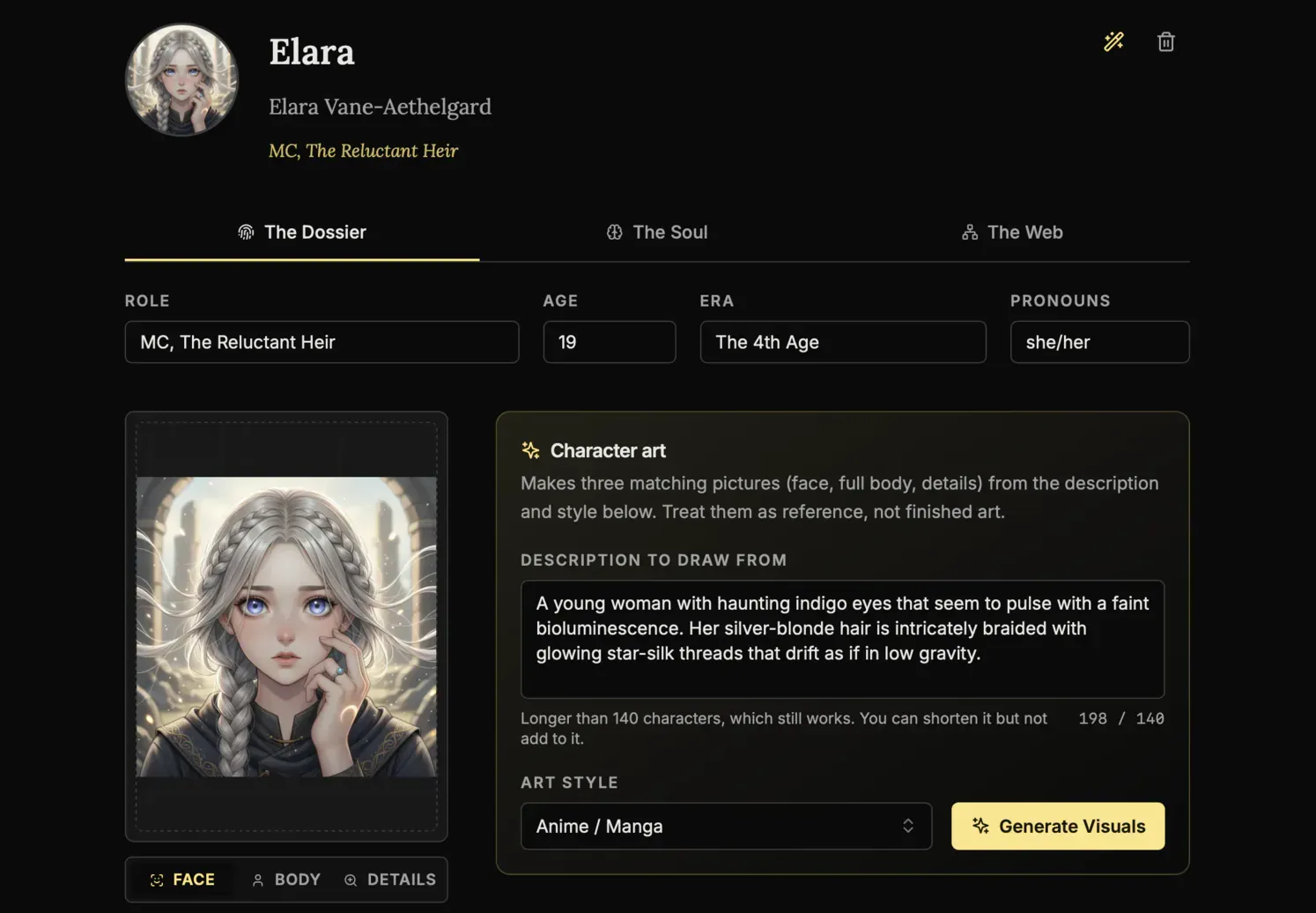
AI Portraits
Generate visual references for your cast inside the app so every character stays recognizable across the whole book.
Genealogy Editor
Map bloodlines, rivalries, and family connections on a drag-and-drop board built for complex character webs.
Worldbuilding
The Architect
Generate the foundations for magic systems, religions, and political factions when you need a strong starting point.
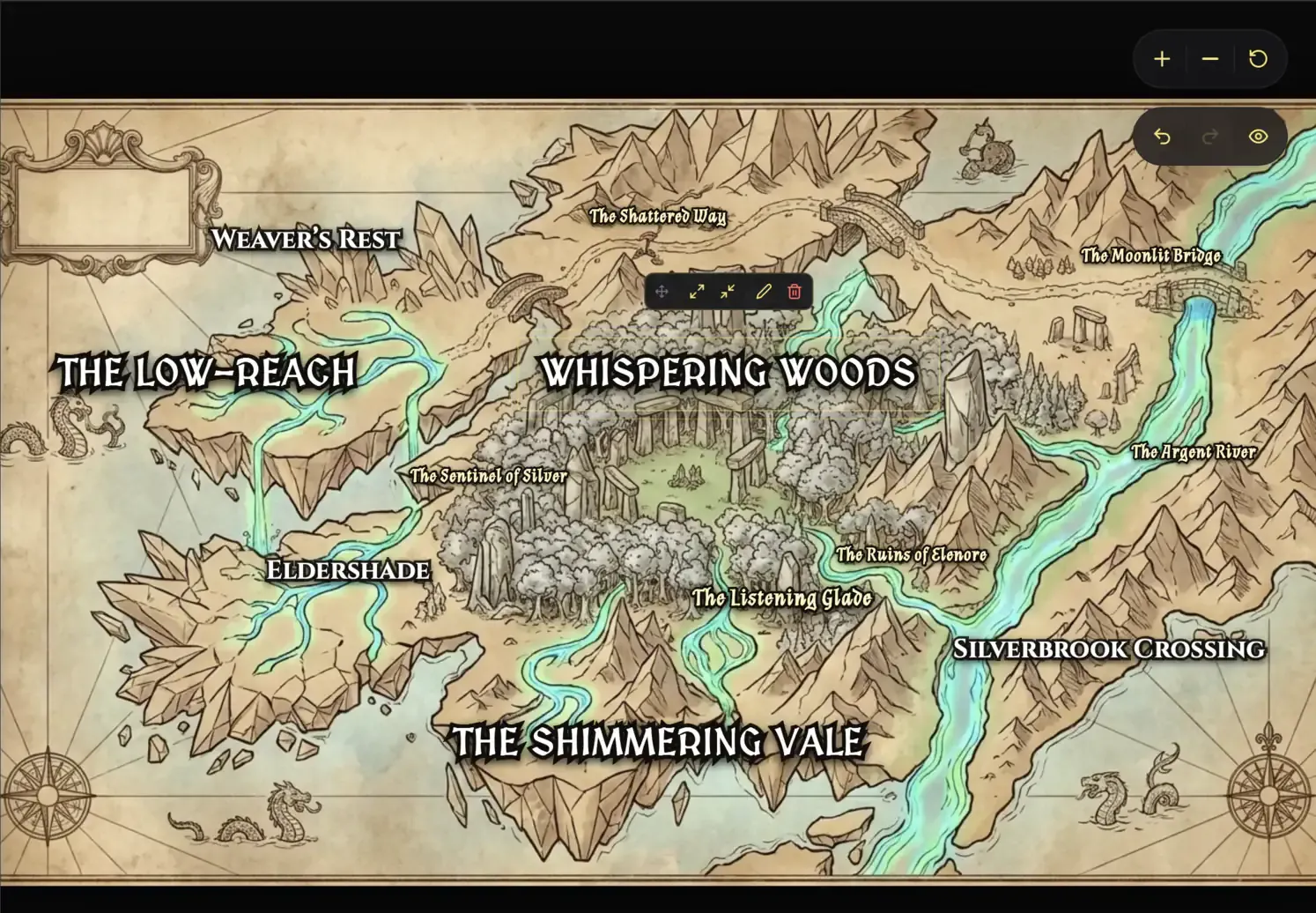
Cartography Editor
Auto-generate regional and topographic maps that give your fictional world a real sense of scale.
Lore Mechanics
Define hard rules for your setting so your history, technology, and magic stay consistent from draft to draft.
Focus Editor (Manuscript)
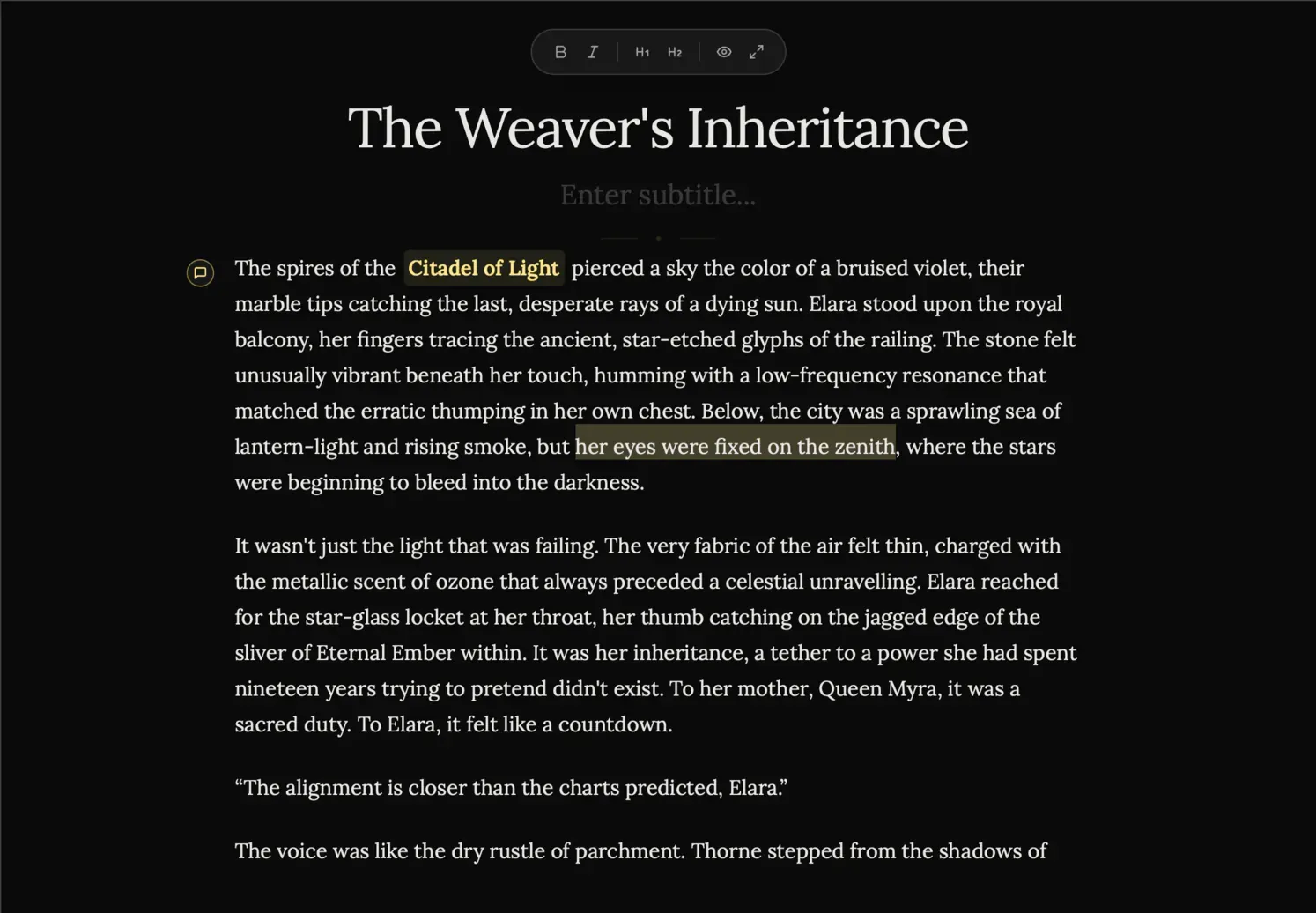
Zen Mode
Hide every sidebar, menu, and visual distraction so it is just you and the page.
Vanishing Mode
Disable backtracking and force forward momentum when you need to finish the first draft without self-editing.
Smart Mentions
Type @ to reference characters, places, and lore without leaving the manuscript flow.
The Blueprint
Plots Canvas
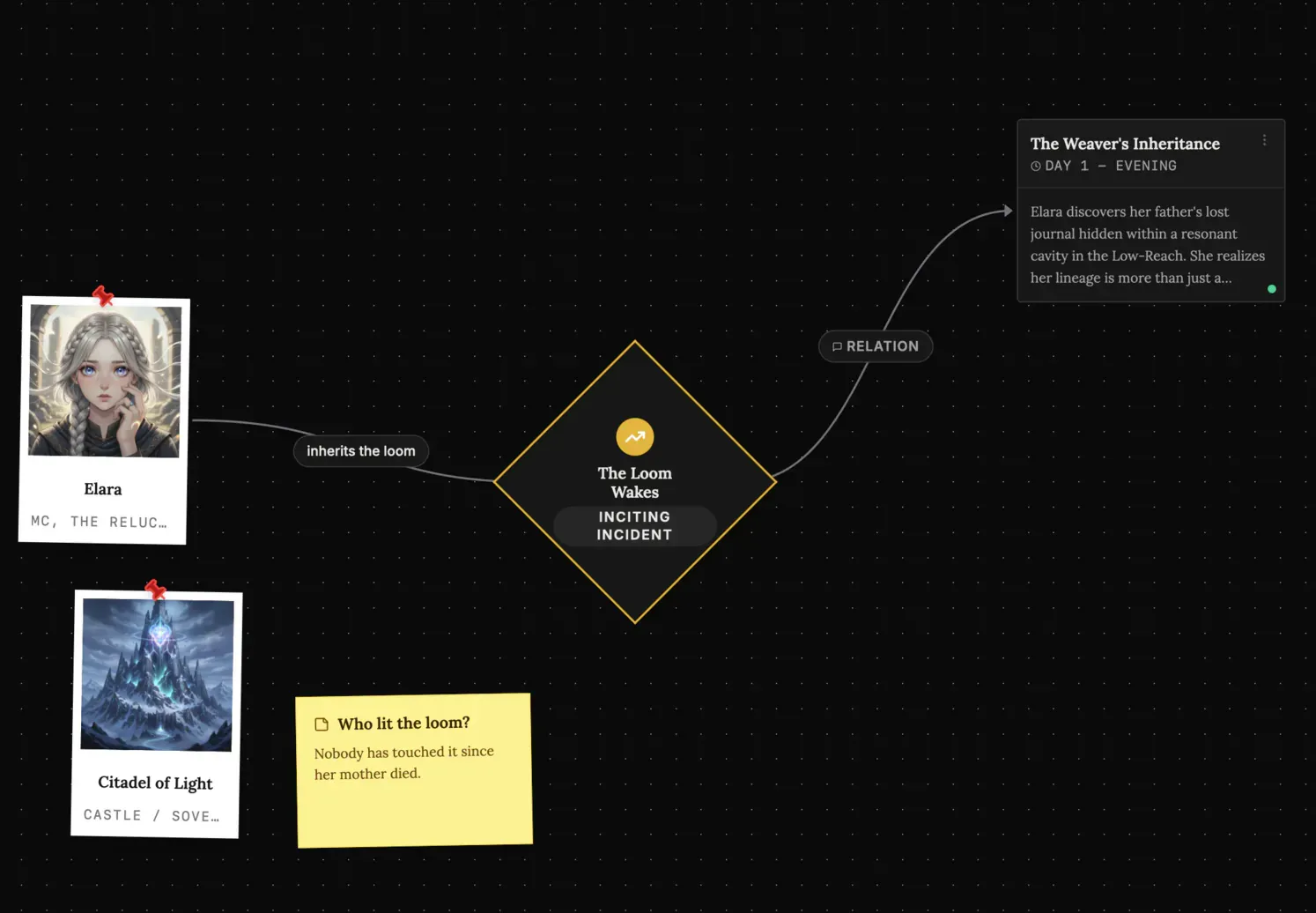
Map story arcs visually, connect major beats, and spot structural gaps before they reach the manuscript.
Scene Cards
Plan each chapter with detailed scene blocks so the prose has a stronger narrative foundation.
Timeline View
Track pacing across characters and locations with a timeline built for multi-threaded stories.
Ideas Bank (Spark)
Infinite Canvas
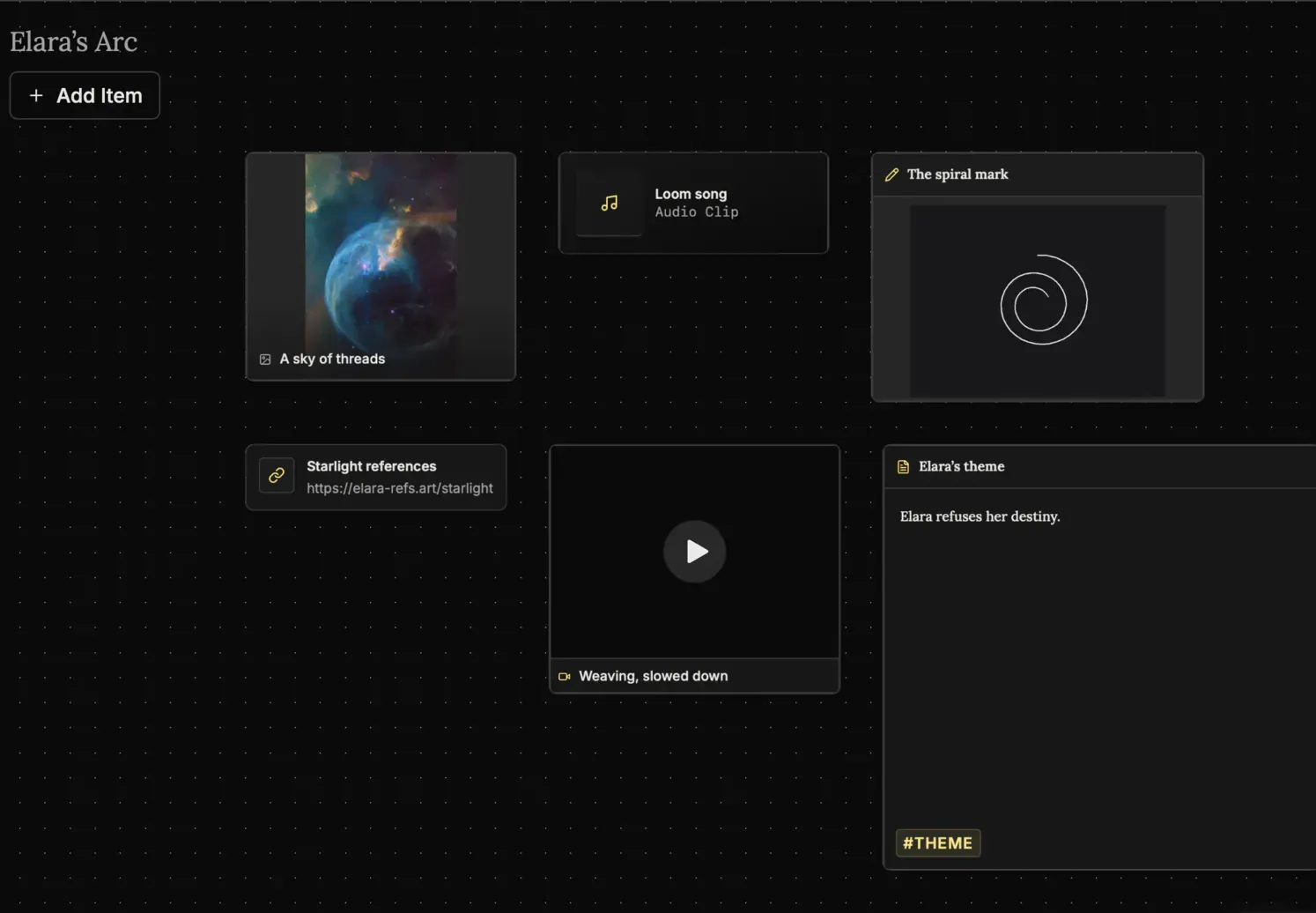
Dump notes, connect fragments, and cluster ideas on a giant digital board that feels freeform instead of rigid.
Multimedia Notes
Drop text, images, links, audio, and video onto the same board to keep all research in one place.
Mini-Browser
Research references inside the app without disappearing into a maze of external tabs.
Goals Tracking
Daily Targets
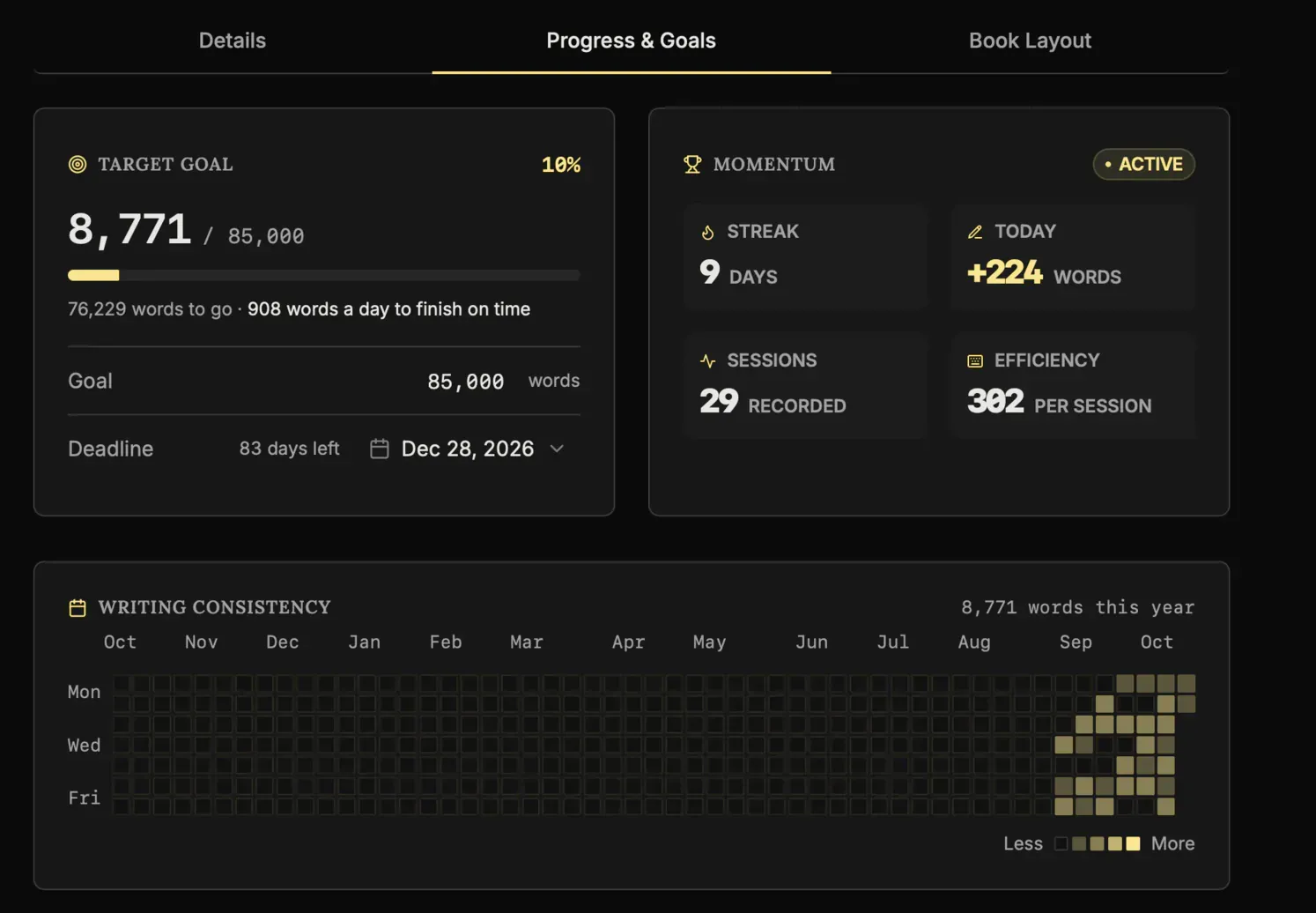
See exactly how many words you need today to reach your deadline with less guesswork.
Heatmap Grid
Use a visual consistency tracker to protect your streak and keep the writing habit alive.
Pulse Analytics
Monitor momentum, output, and prose sharpness in real time so your progress stays measurable.
Writing Presets
Start with proven word-count goals like a 50k sprint or Epic Novel targets in one click.
See every feature Download it free
 Stored on your device
  One payment, no subscription
 Writing guides and craft tips on the blog
Practical advice on characters, plotting, and finishing your novel.