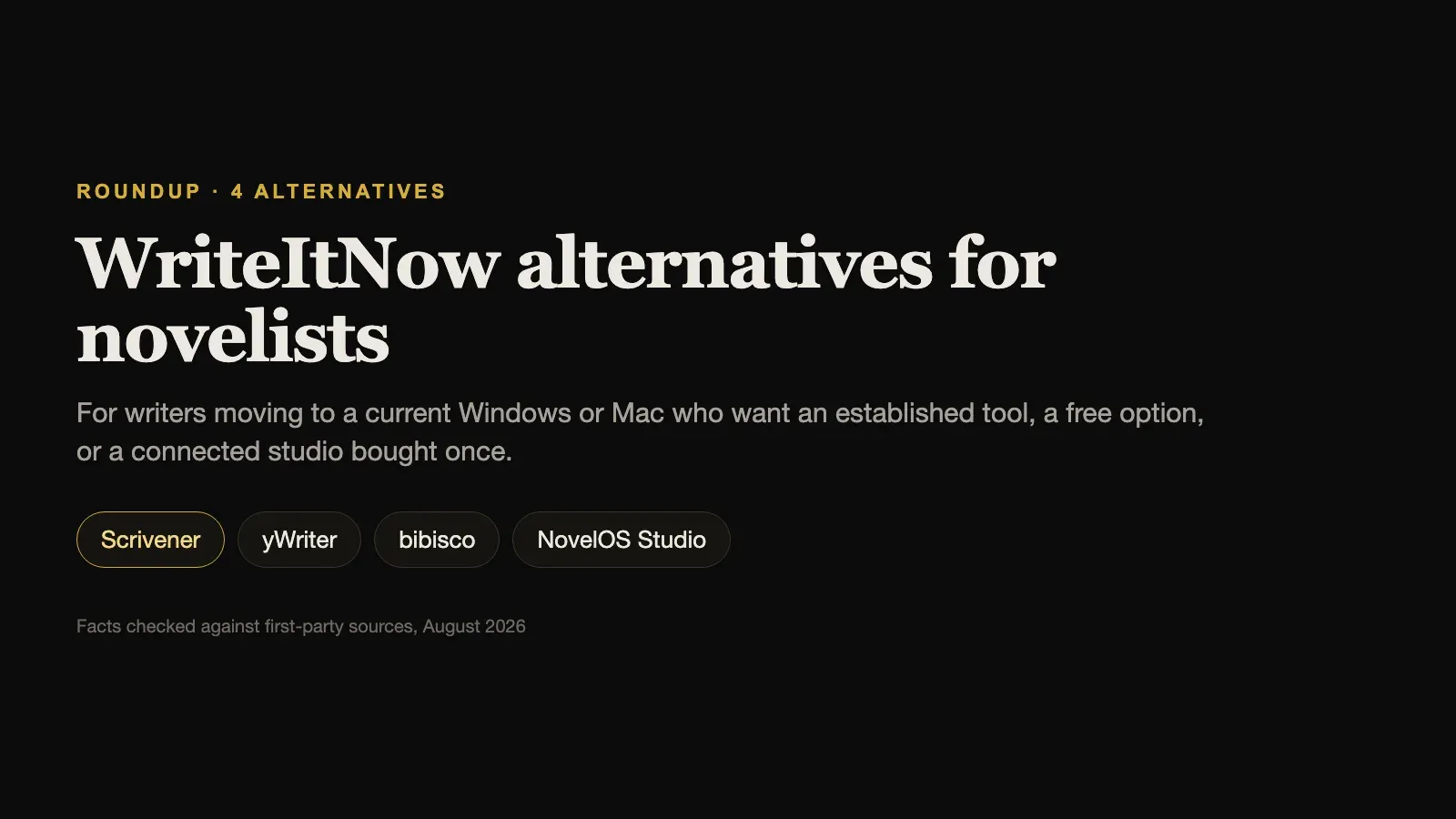
WriteItNow Alternatives for Novelists on a Current Windows or Mac

WriteItNow is a mature desktop novel-writing program from Ravenshead Services, and it has more depth than its modest profile suggests. It keeps detailed background records for characters, places, and events, and includes a Story Board, a Storyline Editor, event timelines, relationship charts, revision snapshots, text analysis, session targets, and research categories. Its book export is one of its best features, producing DOCX, DOC, RTF, EPUB, PDF, HTML, and TXT with control over fonts, headers, page size, margins, front and back matter, and scene separators.
WriteItNow 6 costs $59.95 as a download, and a free demo can do most tasks, including export, but cannot save projects until you unlock it. Projects are saved locally as a single file.
Writers usually look for WriteItNow alternatives because of platform support. Its official versions page names 6.0.2r as the latest release, and its published system requirements list Windows 7, 8, and 10 and OS X 10.7 or higher. Windows 11 and current macOS releases are not named, and the site itself advises trying the demo first to confirm the program runs. For a novel that may take years, that uncertainty matters.
This guide compares four alternatives, using each vendor’s own pricing, version, and feature pages, checked in August 2026.
The short answer. For the most established long-document tool on current Windows and Mac, choose Scrivener. For a free Windows scene organiser, choose yWriter. For a free, cross-platform tool built around characters, choose bibisco. For a current, supported studio with story boards, maps, and broad export, bought once, choose NovelOS Studio.
WriteItNow Alternatives Compared
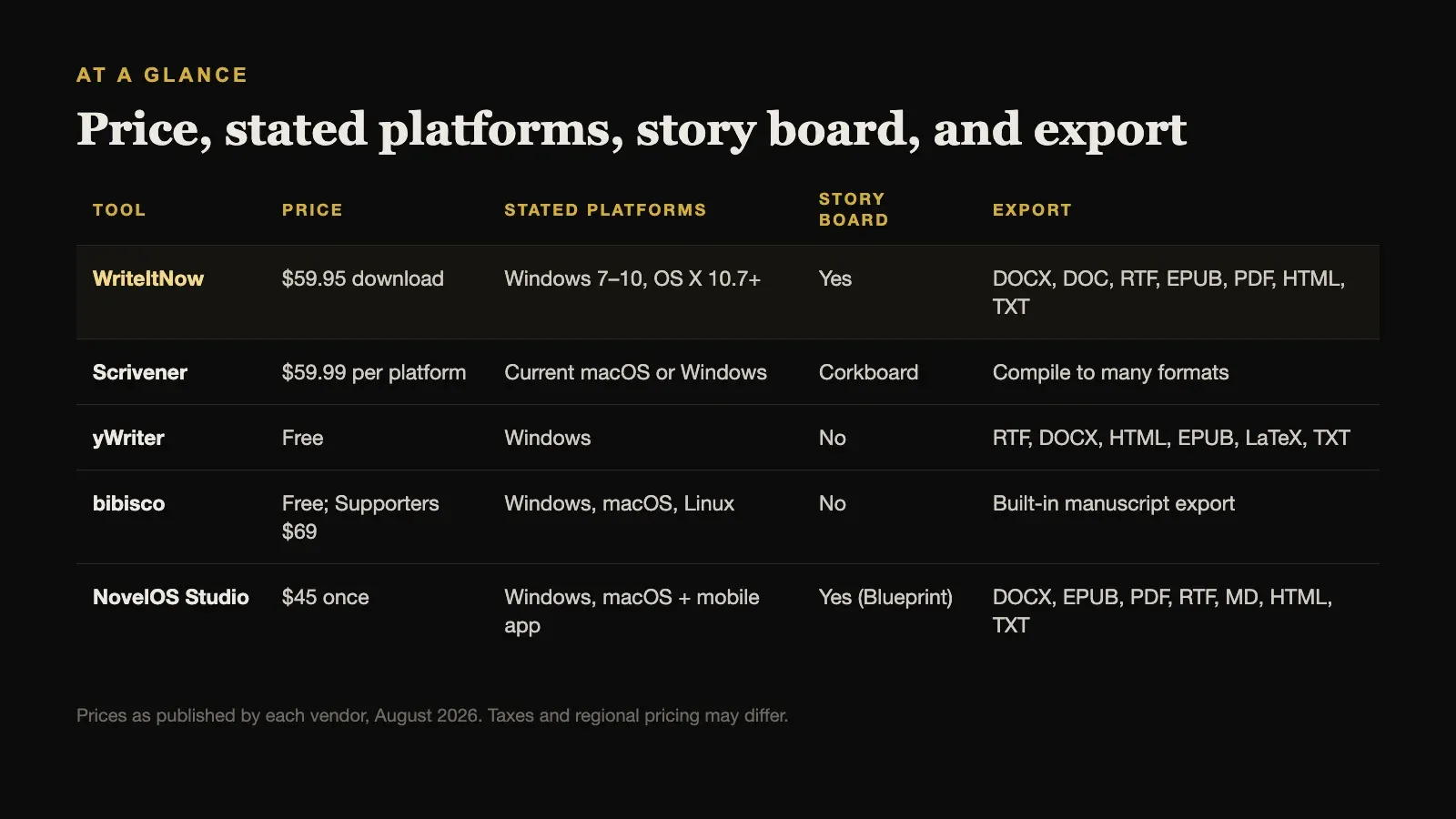
| Tool | Price | Stated platforms | Story board | Export |
|---|---|---|---|---|
| WriteItNow | $59.95 download | Windows 7–10, OS X 10.7+ | Yes | DOCX, DOC, RTF, EPUB, PDF, HTML, TXT |
| Scrivener | $59.99 per platform | Current macOS or Windows | Corkboard | Compile to many formats |
| yWriter | Free | Windows | No | RTF, DOCX, HTML, EPUB, LaTeX, TXT |
| bibisco | Free; Supporters $69 | Windows, macOS, Linux | No | Built-in manuscript export |
| NovelOS Studio | $45 once | Windows, macOS + mobile app | Yes (Blueprint) | DOCX, EPUB, PDF, RTF, MD, HTML, TXT |
Prices are as published by each vendor in August 2026 and exclude tax.
What WriteItNow Does Well
It is worth being clear about what a switch would cost you:
- Background records. Detailed fields for characters, places, events, and research, with pictures stored alongside the project.
- Story Board and Storyline Editor. Visual ways to arrange scenes and follow threads through the book.
- Relationship and event charts. Generated from the records you keep.
- Snapshots and text analysis. Revision history and local prose checks, without sending anything online.
- Configurable book export. Seven formats with detailed layout control, including background details if you want them.
- Local ownership. Installed desktop software, with a project saved to one local file.
If WriteItNow runs well on your computer and already fits how you work, there is no urgent reason to leave.
1. Scrivener: Best Established Tool on Current Systems
Scrivener is the long-established standard for long documents, and it is actively maintained for current versions of Windows and macOS. Its binder, corkboard, outliner, research storage, snapshots, and highly configurable Compile system cover much of what WriteItNow does, with a large body of tutorials and community help behind it.
It costs $59.99 for macOS or Windows, almost exactly WriteItNow’s price, with a $37.95 cross-grade for the second platform. It works offline. It keeps character and place notes as free-form documents rather than structured records, and it has no relationship charts or maps. Compile has a real learning curve.
Choose Scrivener when you want a well-supported desktop tool with a long track record at a similar one-time price.
2. yWriter: Best Free Windows Scene Organiser
yWriter7 is free to download and use on Windows, with optional registration, and is built by a novelist around scenes. It tracks characters, locations, and items per scene, keeps automatic backups, and works fully offline with data on your computer. Paid companion apps for iPhone, iPad, and Android can open yWriter7 projects away from the desk.
It is a Windows program; there is no current macOS desktop version. Its interface is plain, and it has no story board or maps, but its export is broad: RTF, DOCX, HTML, EPUB, and LaTeX, which a separate TeX toolchain can turn into a print PDF.
Choose yWriter when you are on Windows, want to pay nothing, and like organising a novel scene by scene.
3. bibisco: Best Free Cross-Platform Option
bibisco runs offline on Windows, macOS, and Linux. Its Community Edition is free, and a Supporters Edition costs $69 once. Its strength is structured character development, with detailed character interviews and novel analysis beside a clean writing workspace, which suits writers who valued WriteItNow’s background records.
Recent releases added novel outlines, mind maps, and timeline improvements, but it does not include a story board or geographic maps.
Choose bibisco when you want a free, current tool on any desktop platform, with a focus on characters.
4. NovelOS Studio: Best Current Studio Bought Once
NovelOS Studio covers most of what WriteItNow users rely on, in a current application for Windows and macOS. Characters have family trees, and worldbuilding records take custom properties. Blueprint boards are freeform visual canvases where scenes can be arranged and connected, with several boards per book. Cartograph draws maps. Every scene in the manuscript carries its viewpoint, status, synopsis, cast, and location, and writing goals, deadlines, and a yearly activity view track the draft.
It costs $45 once, and the same licence activates an installable mobile app. It works fully offline, stores the project on your own computer, and needs no account. It exports DOCX, EPUB, PDF, RTF, Markdown, HTML, and plain text, and moves a whole project between computers as one .novelos archive. AI features are optional and run on your own provider key.
Its book layout covers trim size and margins, set once in the project overview. What it does not have is WriteItNow’s event charts generated from background records, or its built-in text-analysis reports, so writers who lean on those should keep a separate prose checker in their process.
Choose NovelOS Studio when you want WriteItNow’s kind of connected novel toolkit in software built for today’s Windows and macOS.
When WriteItNow Is Still the Right Choice
Keep WriteItNow if the demo runs reliably on the computer you intend to use, and its Story Board, Storyline Editor, charts, snapshots, and export system already fit your process. Mature software that works is valuable, and version 5 users can upgrade to version 6 for $19.95.
The practical risk is not the software itself but your next computer. If you are about to upgrade your operating system or buy a new machine, test the demo there first. If it runs, you lose nothing by staying. If it does not, you will want your export and your archive ready before the old computer is gone, not after.
Moving a Novel Out of WriteItNow
WriteItNow’s broad export makes leaving straightforward. Export the manuscript as DOCX, which almost any writing tool can import, and check that chapters use a consistent heading style so the new tool splits them correctly. Export the background details as well, and keep them as a reference archive.
Then keep the original project file, along with its picture subfolder, somewhere safe. Even if you never open WriteItNow again, that file is the only complete copy of your records, snapshots, and story board. Rebuild the records your current draft depends on first, such as main characters and key places, and bring the rest across only when a scene needs them.
How to Choose
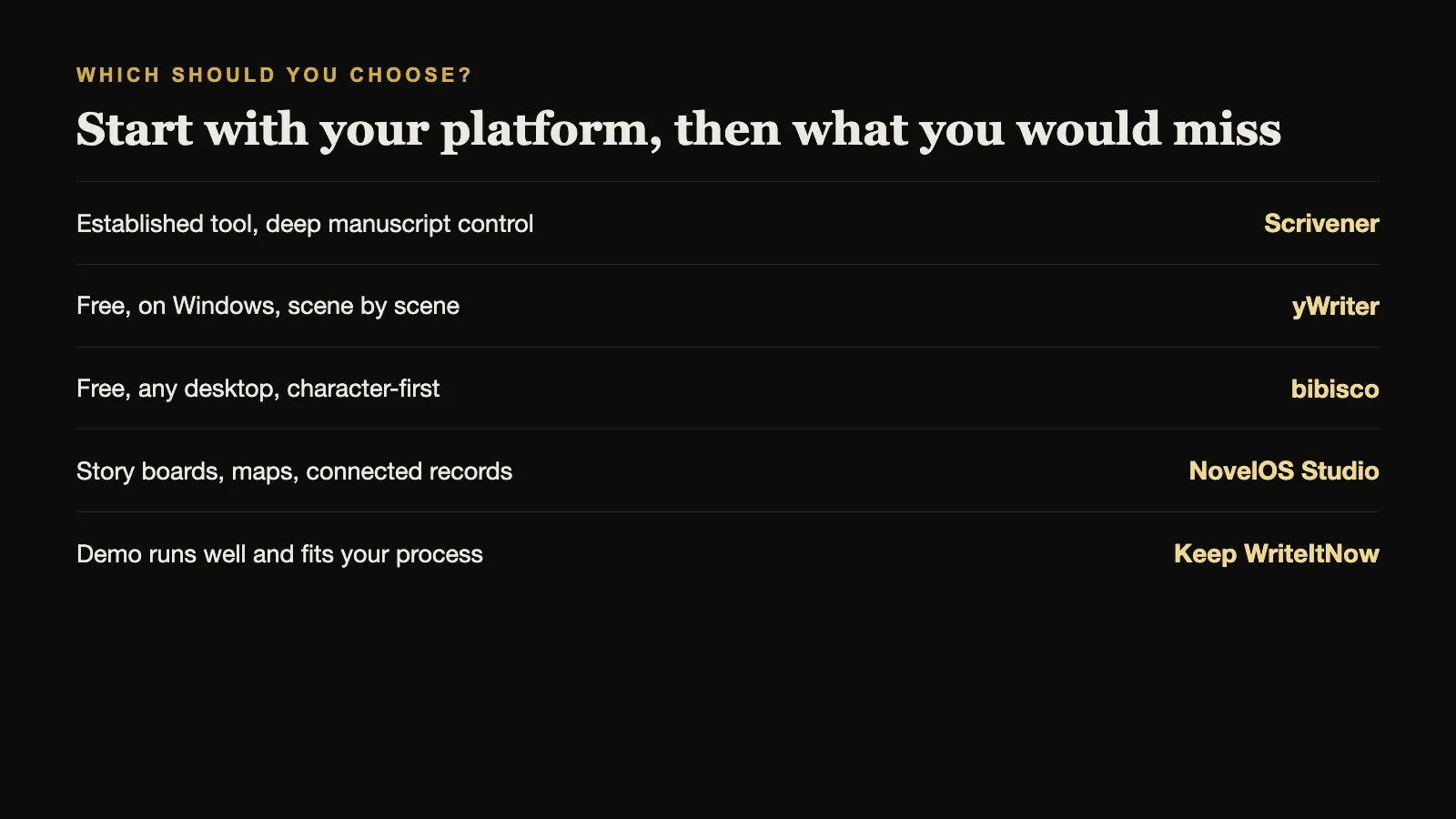
Start with your platform. On Windows, every tool here is available. On macOS, choose between Scrivener, bibisco, and NovelOS Studio. On Linux, bibisco.
Then decide what you would miss most from WriteItNow. Detailed manuscript control and a long track record point to Scrivener. Paying nothing points to yWriter or bibisco. Story boards, maps, and connected records point to NovelOS Studio.
Sources and further reading
Prices and features were checked against first-party sources in August 2026 and may change.