NovelOS 1.5.0: Sync, an MCP Server for AI Tools, and a Command Palette
NovelOS Studio 1.5.0 came out on November 4, 2026. It adds three larger pieces: the same books on every device, a way for AI tools such as Claude Code to work on a manuscript directly, and a keyboard-first way to move around a long book. It is a free update for every licence, on Windows, macOS and the phone app.
Sync through storage you already have
Sync keeps your books the same on your computer and your phone. It does not use a NovelOS server. You connect an account you already have:
- Dropbox, Google Drive, OneDrive or a WebDAV server (Nextcloud, ownCloud, a NAS) on desktop and phone
- iCloud Drive, or a local folder that Syncthing or a similar app keeps in step, on Windows and macOS
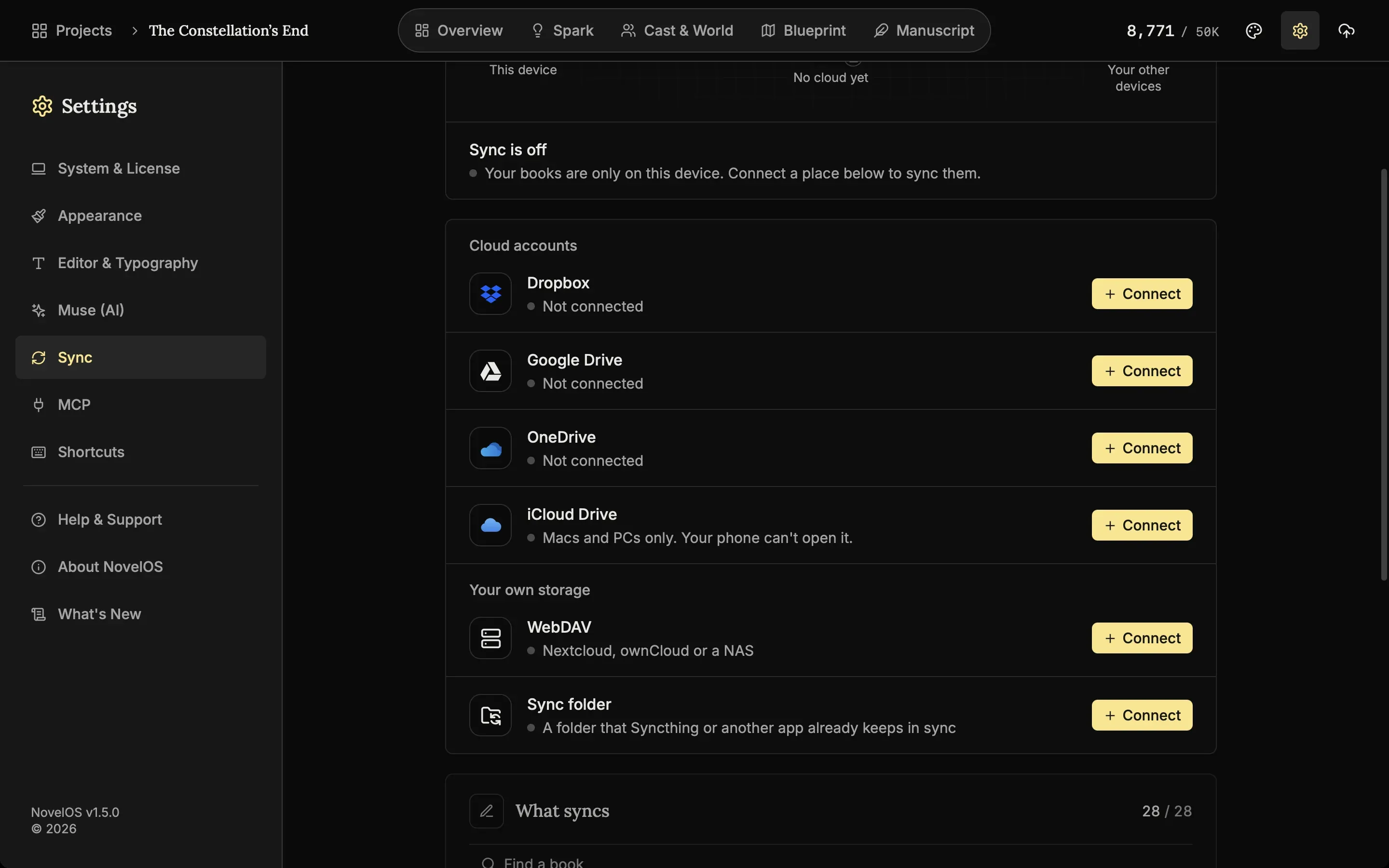
Every file is encrypted on your device before it uploads. The cipher is AES-256-GCM, file names are hashed with HMAC-SHA256, and the key is protected by your passphrase through PBKDF2-SHA256 at 600,000 iterations. Dropbox, Google or Microsoft store files they cannot open, and NovelOS never receives your passphrase. When you turn Sync on you also get a recovery key. Keep it somewhere safe, because it is the only way back in if you forget the passphrase.
A few details that matter once you use it every day:
- You choose which books sync, and whether writing settings and appearance go with them. AI keys and the licence never sync.
- When the same chapter changed on two devices before they synced, both versions are kept.
- A percent shows while a sync runs, and files transfer four at a time, so a first upload of a book with hundreds of pictures finishes sooner.
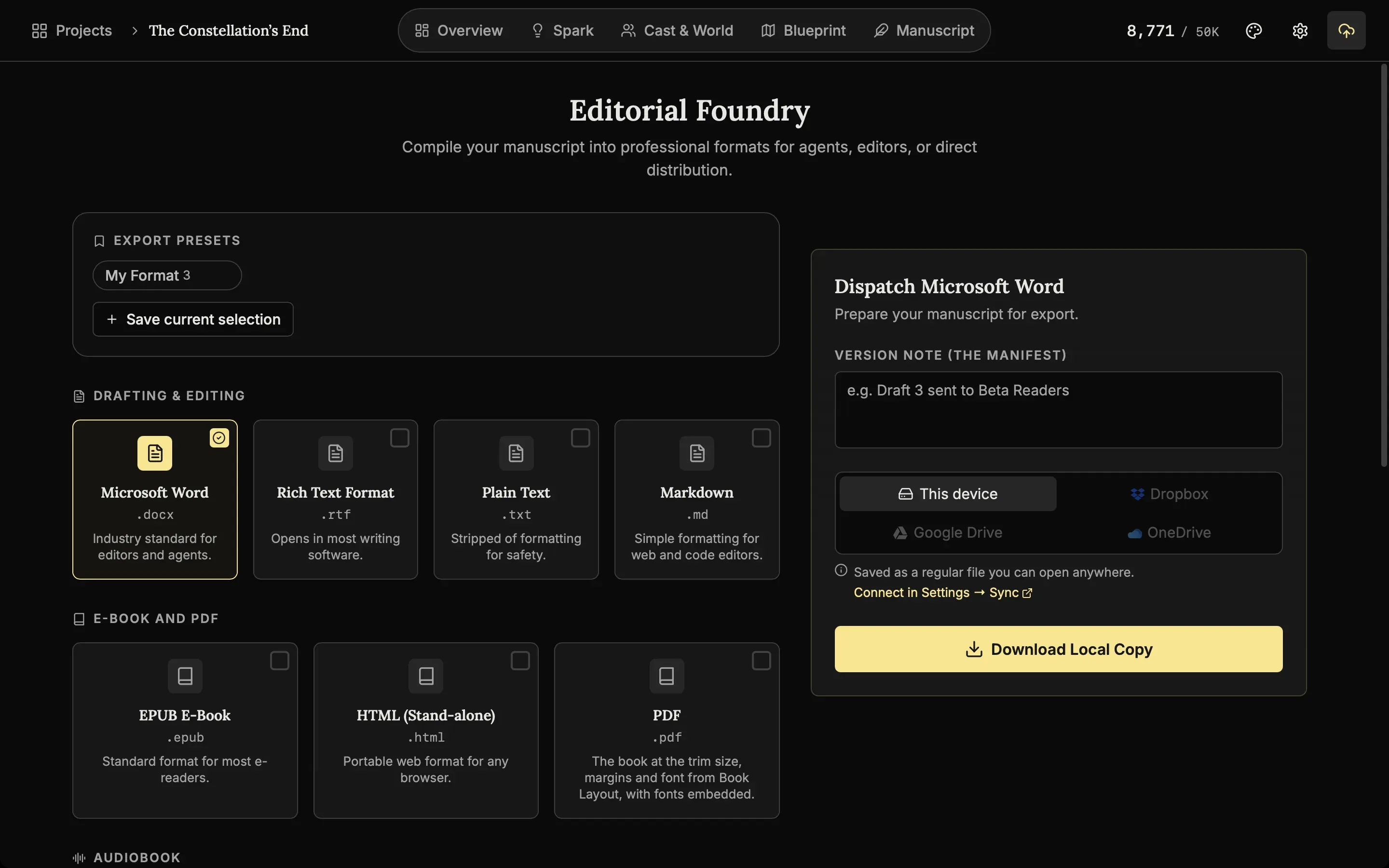
- Once an account is connected, an export (Word, EPUB, PDF or an audiobook) can go straight to Dropbox, Google Drive or OneDrive.
Every device needs 1.5.0 for Sync to work.
An MCP server for Claude Code, Codex and Cursor
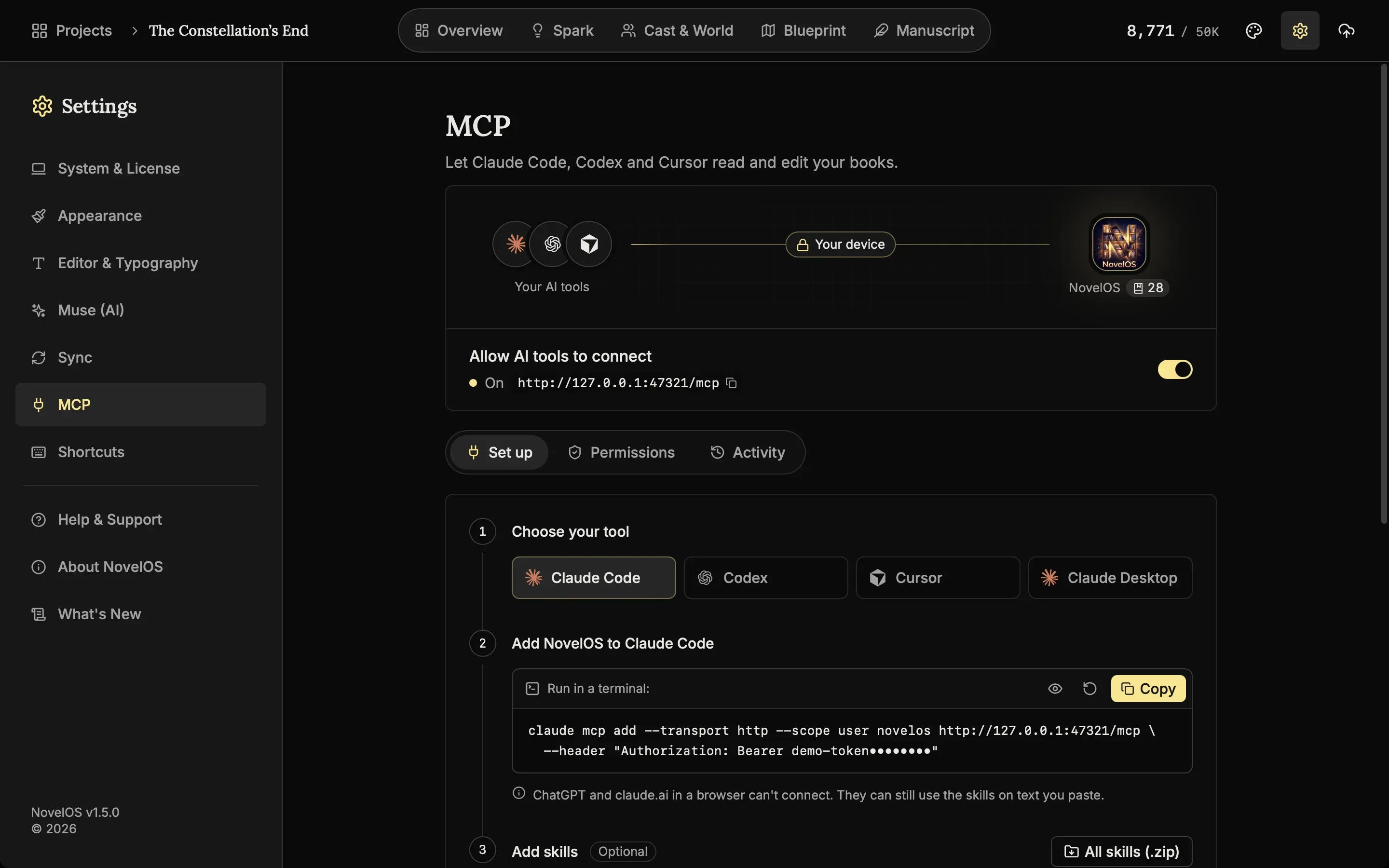
The desktop app now includes an MCP server. MCP, the Model Context Protocol, is the standard AI coding tools use to talk to other software. Switch on Allow AI tools to connect in Settings, MCP, and NovelOS shows the exact command or config to paste into Claude Code, OpenAI Codex, Cursor or Claude Desktop.
From then on the tool can read and edit your book on your computer: chapters, cast, places, lore, family trees, maps, scenes, plot boards and Spark boards. Ask Claude Code to “run a continuity check on chapter 3” or “list every scene where Elara and Vane are both present” and it works from the real project, not from text you pasted.
Letting an AI edit a manuscript needs guard rails, so these are built in:
- The server is off until you switch it on, listens only on 127.0.0.1 (port 47321 by default), and needs a token.
- You choose which books tools can see. Turn off Allow edits and they can only read.
- NovelOS takes a snapshot before a tool first changes a chapter. Activity lists every change, and you can undo one change or a whole session.
- API keys, the licence and app settings are never shown to a connected tool.
There are also seven downloadable NovelOS Studio Skills, written for fiction: Beta reader, Chapter summary, Character voice, Continuity check, Scene outline, Timeline and World bible sync. ChatGPT and claude.ai in a browser cannot reach a server on your computer, but you can upload a skill to claude.ai and use it on text you paste.
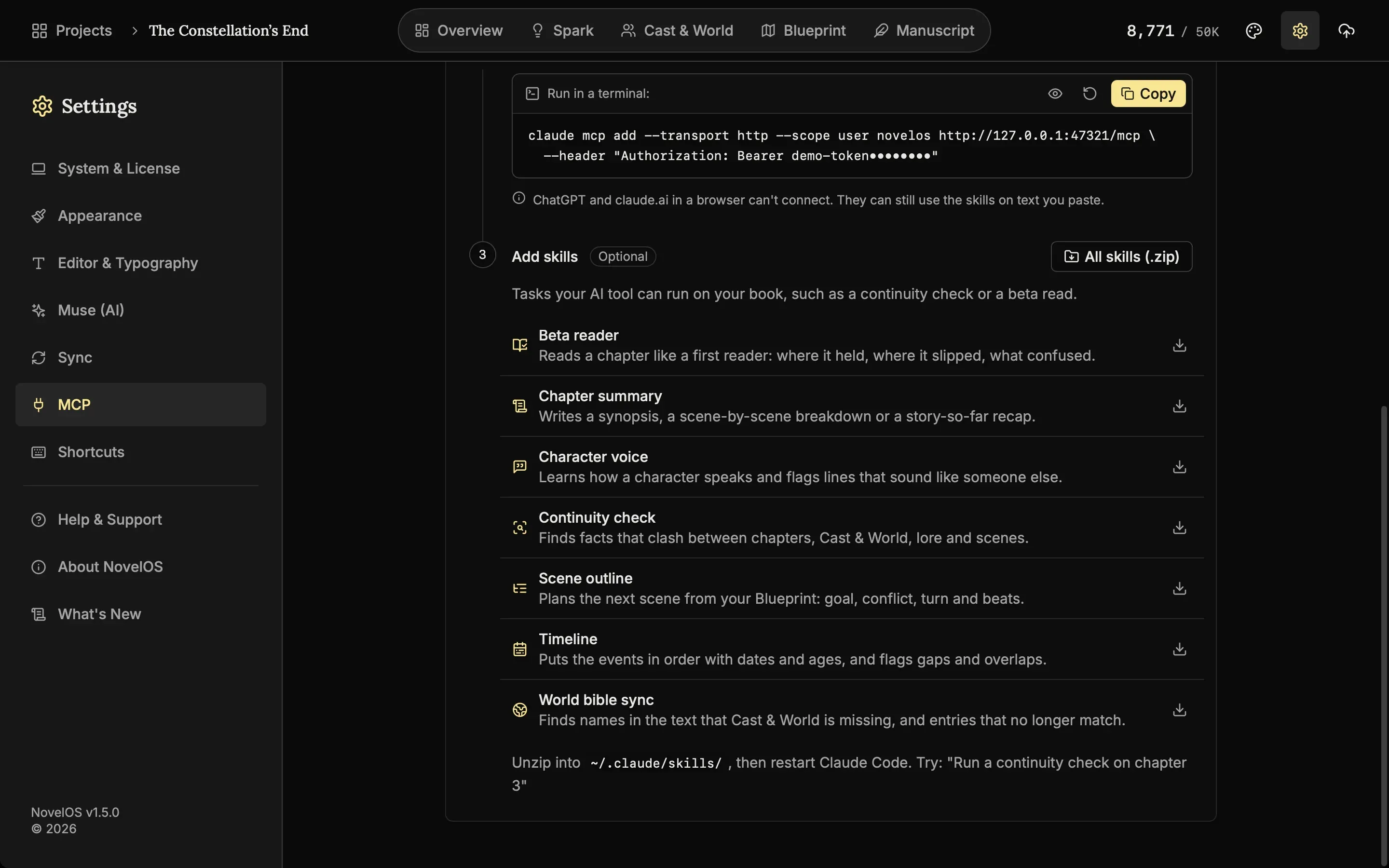
NovelOS does not resell AI. The tool you connect runs on its own account and plan.
A command palette
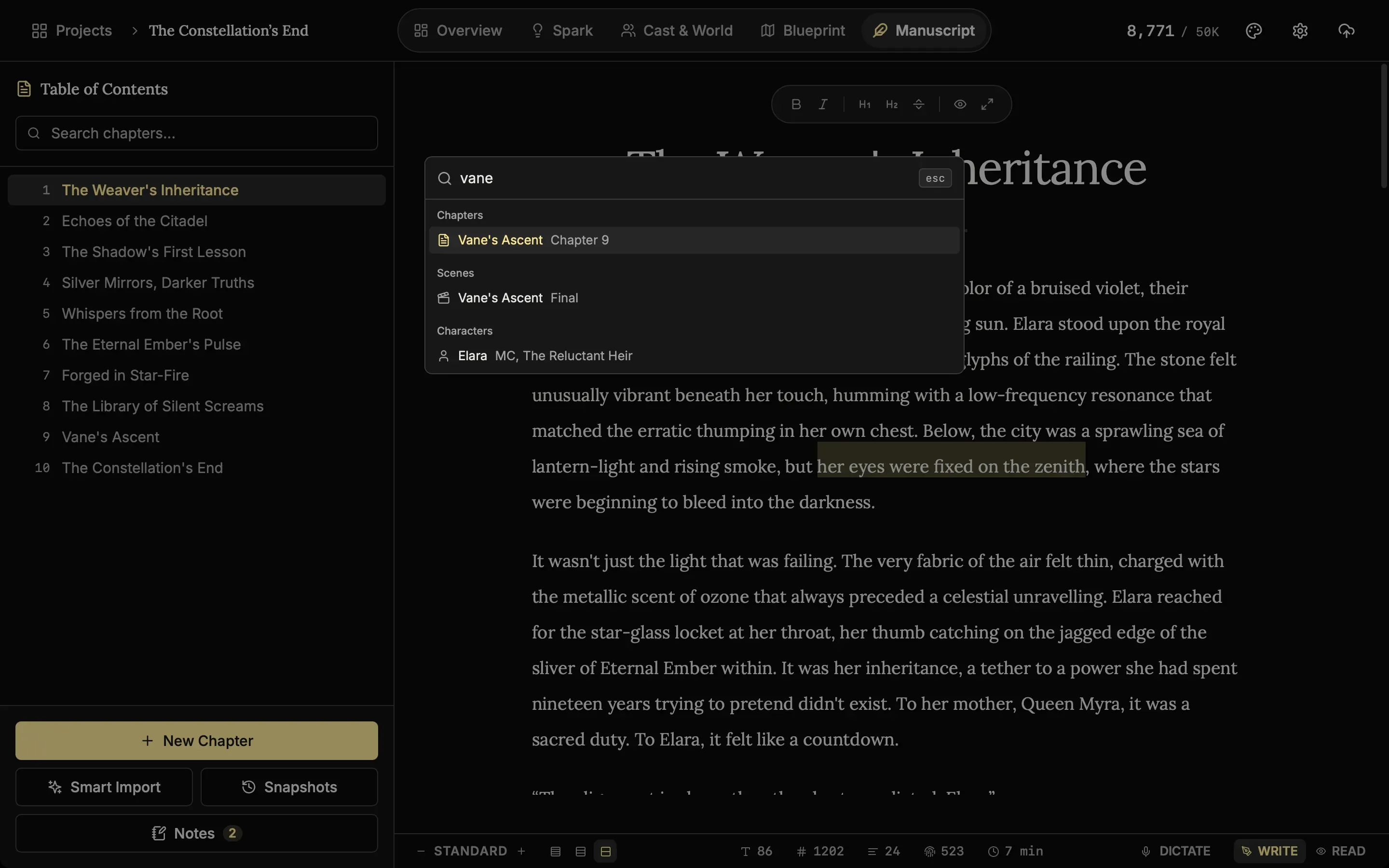
Press Cmd+K (Ctrl+K on Windows) anywhere. One search box finds chapters, scenes, characters and places, and runs commands. Cmd+/ lists every keyboard shortcut.
Everything else in 1.5.0
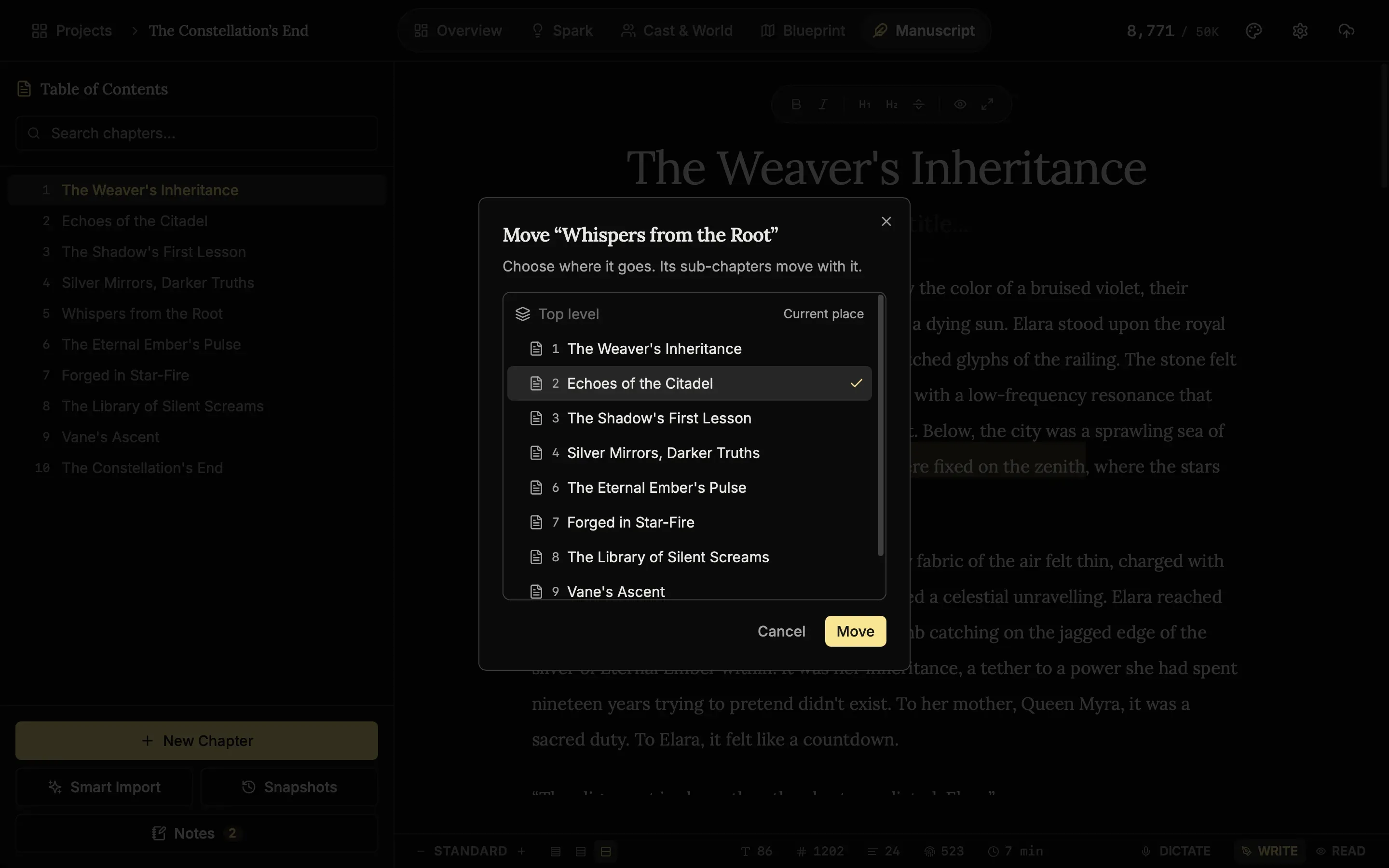
- Move to. Move a chapter anywhere in the book, drag chapters across levels, or select several and move them together. Sub-chapters move with their parent.
- Scenes in the chapter. See the scenes of the open chapter, jump to one, and add a Scene Break with Cmd/Ctrl+Shift+Enter.
- Smart Import into a new book. Start a new book from a Word, EPUB, Markdown, text or PDF file, and take an import back with Undo import.
- Voices and samples. Hear a sample before you pick a Read Aloud voice and speed, on desktop and phone.
- ElevenLabs narration. Use your own ElevenLabs voices for Read Aloud and audiobooks, in many languages.
- First-line indent. None, Short or Standard, the way printed books indent paragraphs.
- Clearer AI errors. Muse now says which service failed and why, for example an OpenAI account with no credit left.
- Read Aloud memory. Long chapters play to the end. Memory use during narration dropped from as much as 18 to 24 GB on some Macs to about 1.3 to 1.6 GB.
The full list, with every fix, is on the changelog.
What the trial includes
The free 7-day trial now runs in the phone app too, signed up with just an email. It covers the writing tools with small limits (5 chapters, 3 characters). Sync, export to the cloud, ElevenLabs narration and the MCP server need a licence. One $45 licence covers Windows, macOS and the phone app, with no subscription.
Download NovelOS 1.5.0 or update from the app.