 MCP Server for AI Tools
Let your AI tool read and edit your book, with undo
NovelOS has a built-in MCP (Model Context Protocol) server. Switch it on and Claude Code, Codex, Cursor or Claude Desktop can read and edit your chapters, cast, world and plot boards on your own computer. Every change is listed and can be undone. New in NovelOS 1.5.0, on Windows and macOS.
- $45 once, no subscription
- Windows and macOS
- Runs on your own computer
- Every change can be undone
 Windows
 macOS
 Mobile
Claude Code, Codex and Cursor can work on your book
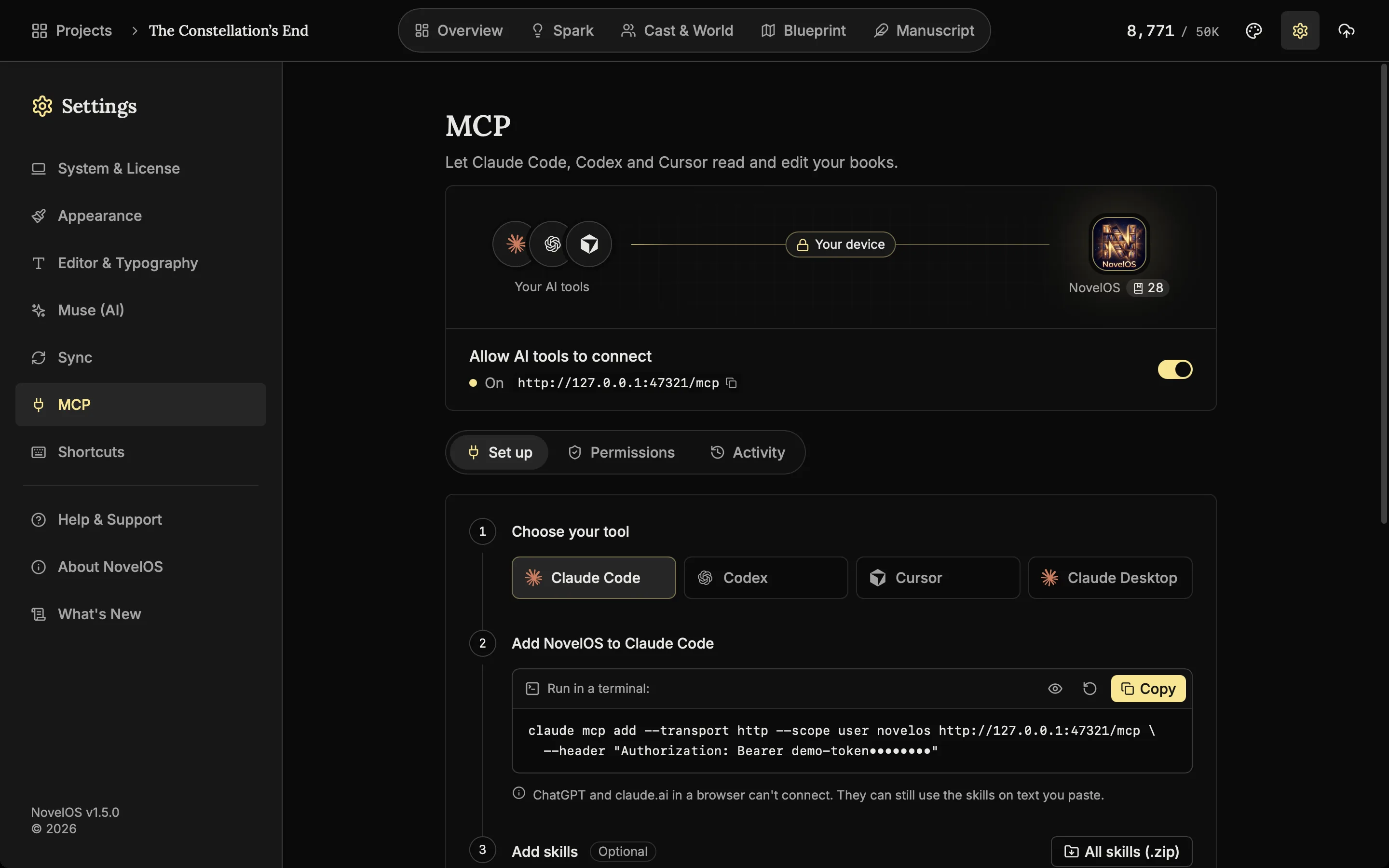
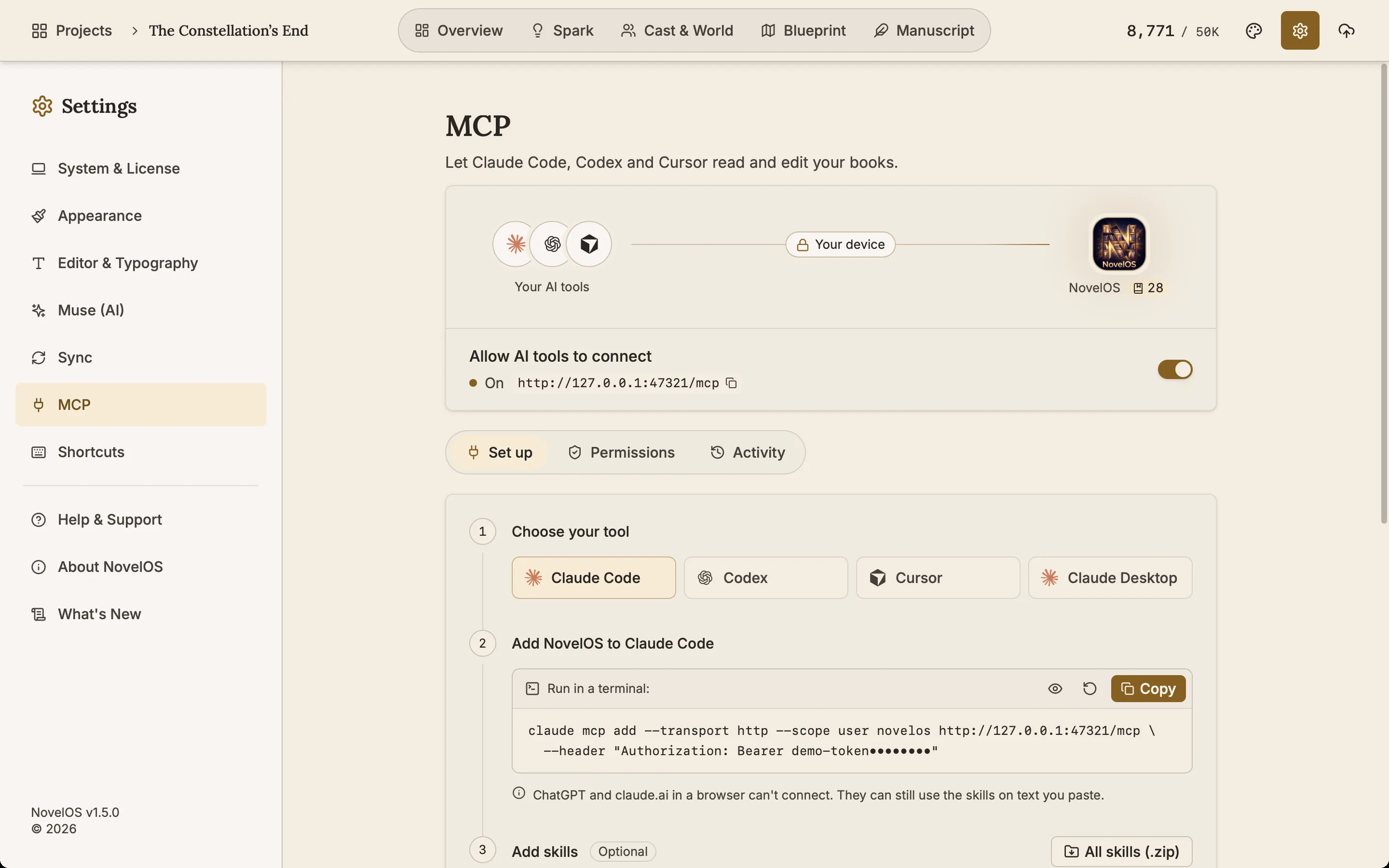
Switch on Allow AI tools to connect in Settings, MCP, and NovelOS gives you the exact command or config for Claude Code, Codex, Cursor or Claude Desktop. The tool then reads and edits the book on your computer.
Seven skills written for novels
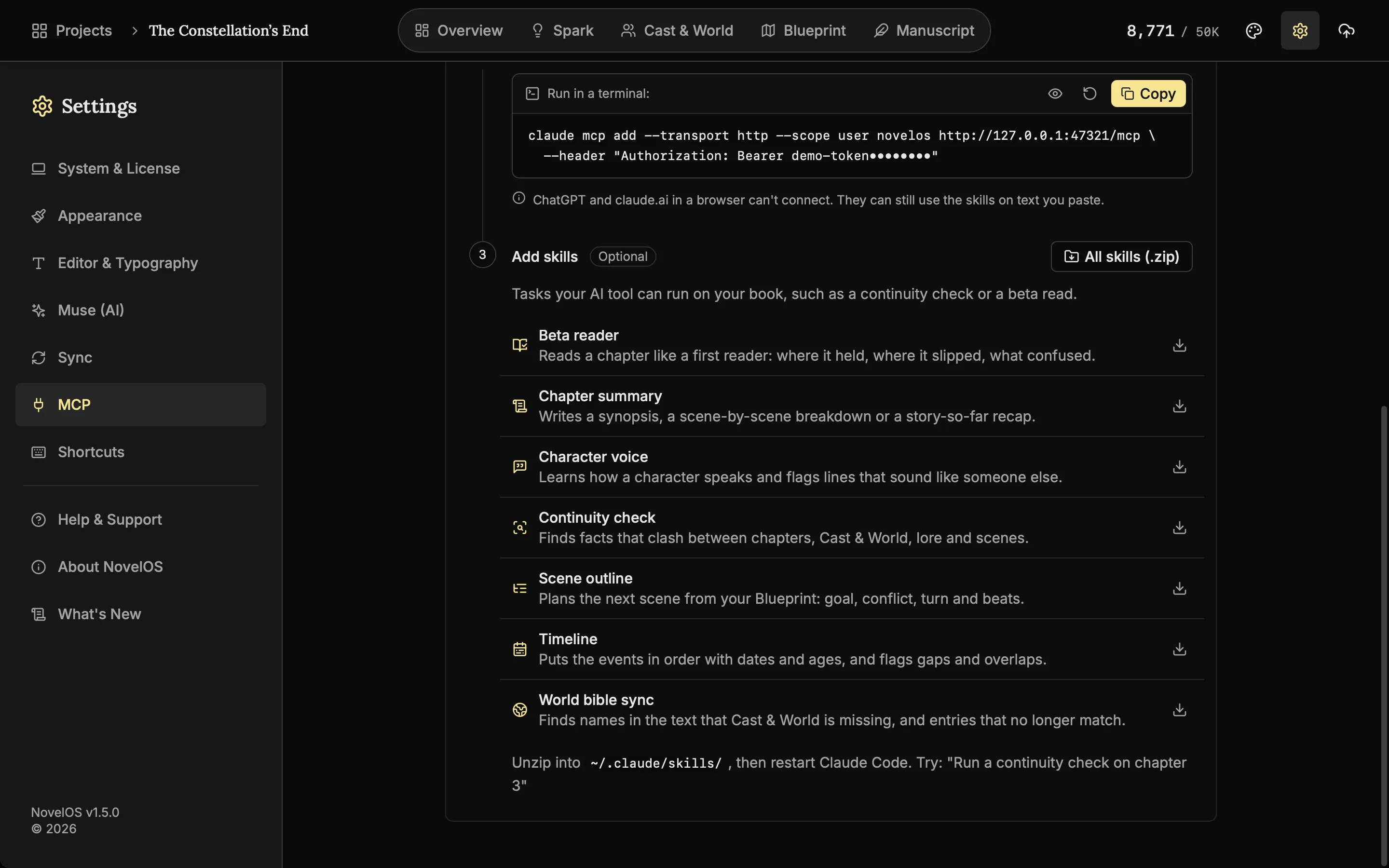
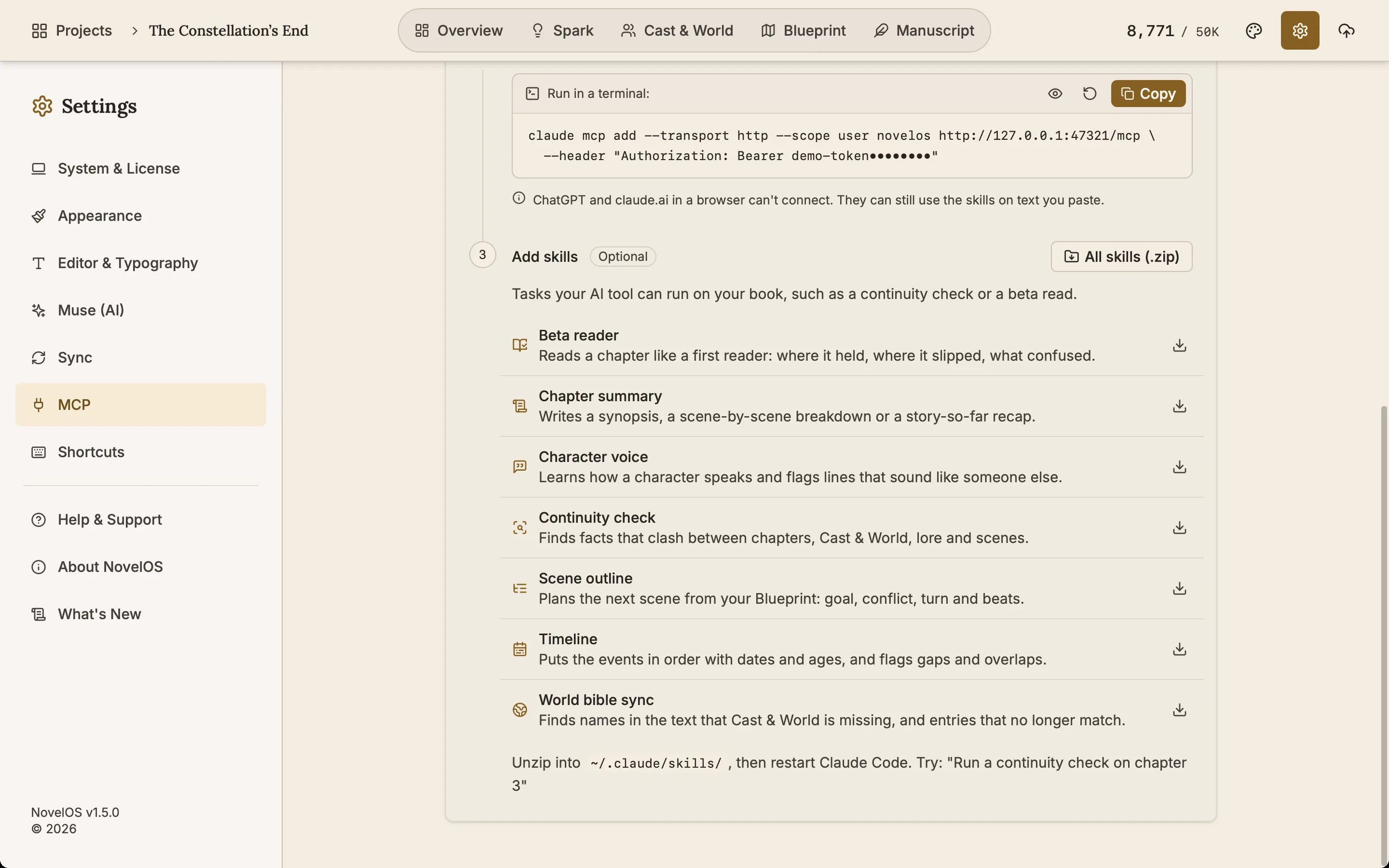
Download ready-made NovelOS Studio Skills and your AI tool can run a beta read, a chapter summary, a character voice check, a continuity check, a scene outline, a timeline or a world bible sync.
Good to know
- More than the chapter text. Connected tools can read and change chapters, cast, places, lore, family trees, maps, scenes, plot boards and Spark boards. Turn off Allow edits and they can only read.
- Every change listed, every change undoable. NovelOS takes a snapshot before a tool first changes a chapter. Activity lists each change, and you can undo one change or a whole session.
- Local only. The server listens on 127.0.0.1, port 47321 by default, and needs a token you can regenerate.
- Choose the books. Share all books, or only the ones you pick.
- Your AI, your plan. NovelOS does not resell AI. The tool you connect uses its own account.
Related features
- The Alchemist, line edits
Select the words you want polished and get suggested rewrites, each with its reason, to accept or ignore. Optional AI.
- Snapshots
Each chapter keeps old copies of itself. Compare one with the current text and restore it if the rewrite did not work.
- Characters and family trees
A page for every character, family trees built from your cast, and optional AI concepts from The Oracle.
- Sync
The same books on your computer and phone through Dropbox, Google Drive, OneDrive, iCloud Drive or WebDAV, encrypted on your device.
Common questions
What is the NovelOS MCP server?
A Model Context Protocol server built into the NovelOS desktop app. When you switch it on, AI tools that speak MCP, such as Claude Code, Codex, Cursor and Claude Desktop, can read and edit the books you choose.
Which AI tools can connect?
Claude Code, OpenAI Codex, Cursor and Claude Desktop, with setup shown for each in Settings, MCP. ChatGPT and claude.ai in a browser cannot reach a server on your computer, but you can upload a skill to claude.ai and use it on text you paste.
Is it safe to let an AI tool edit my manuscript?
It is off until you switch it on, it answers only on 127.0.0.1 with a token, and you choose which books tools can see. A snapshot is taken before a tool first changes a chapter, and every change can be undone from Activity.
Can a connected tool see my API keys or licence?
No. API keys, the licence and app settings are never shown to AI tools.
Does it work on the phone?
No. The MCP server runs in the Windows and macOS app, where the AI tools themselves run.
Is it included in the $45?
Yes, with the full licence and no subscription. You use your own AI tool and its own plan. The 7-day trial does not include connecting AI tools.
Writing Tips & First Edition Access.
Craft guides and product updates in your inbox.
Finish your story. Keep your tools.
One payment and it is yours. No subscription, no account, no telemetry. Or try it free for 7 days on Windows or macOS.