 Spell Check and Review
Catch typos, repeated words and continuity errors before your editor does.
NovelOS Studio checks your spelling as you write and never flags your characters' names. Review then catches doubled and overused words, names spelled two ways, scenes out of order and characters who appear after they die. It works offline, without AI, and comes with the $45 licence.
- $45 once, no subscription
- Windows, macOS and Linux
- Review also on the phone
- Runs on your device, without AI
 Windows
 macOS
 Mobile
Part of the 25 minute walkthrough. Watch the full tour from the start Watch on YouTube
A spell checker that knows your cast
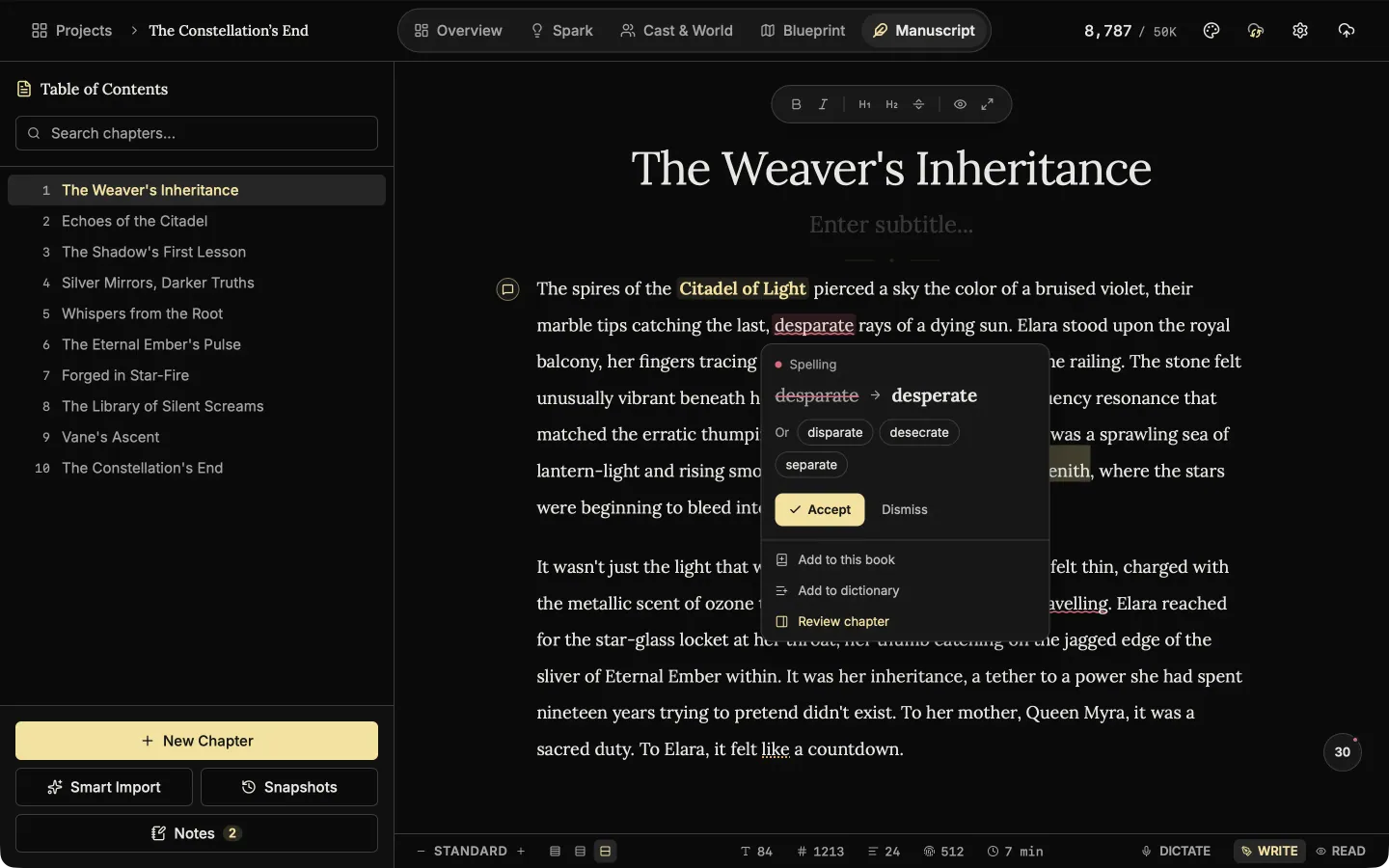
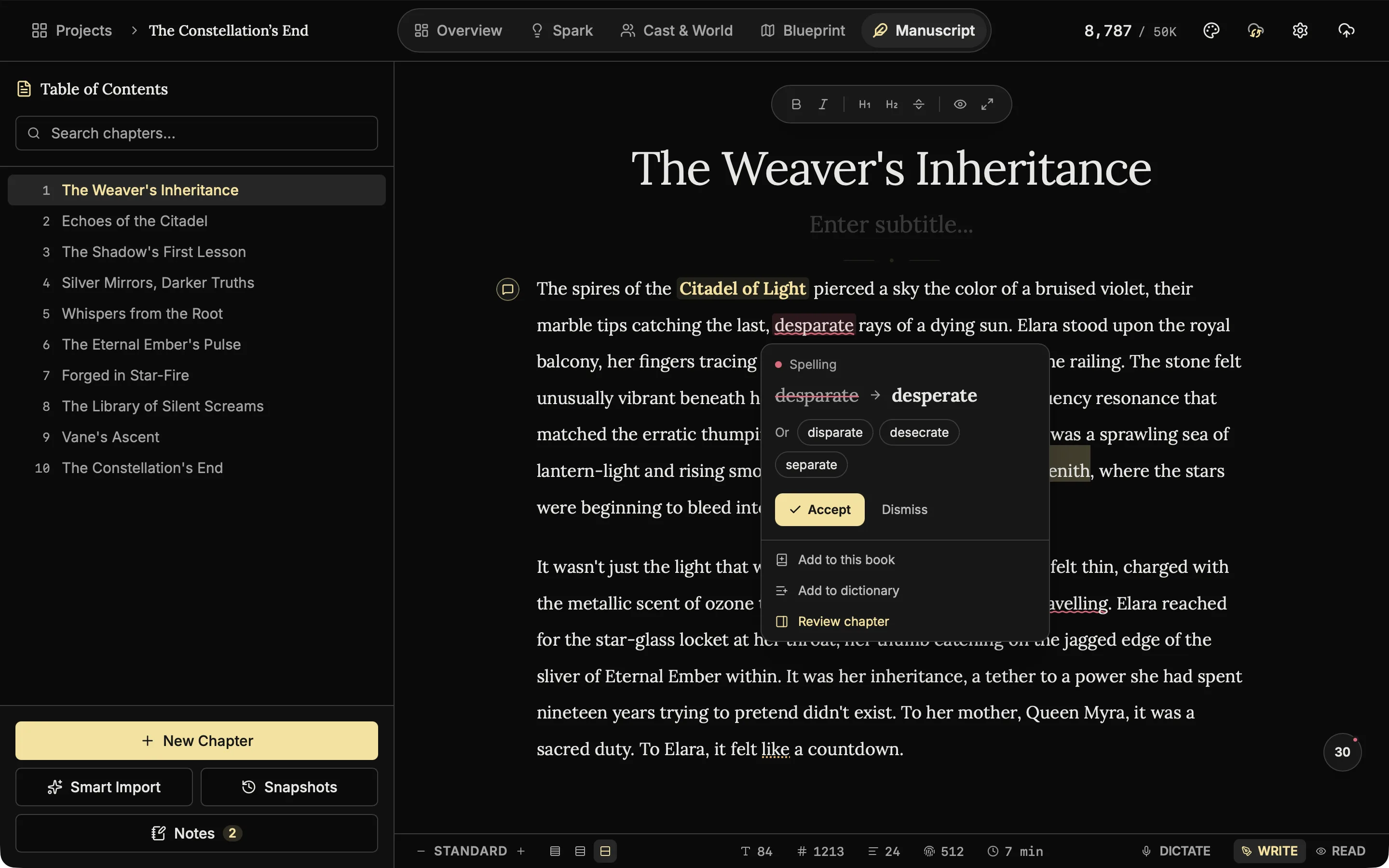
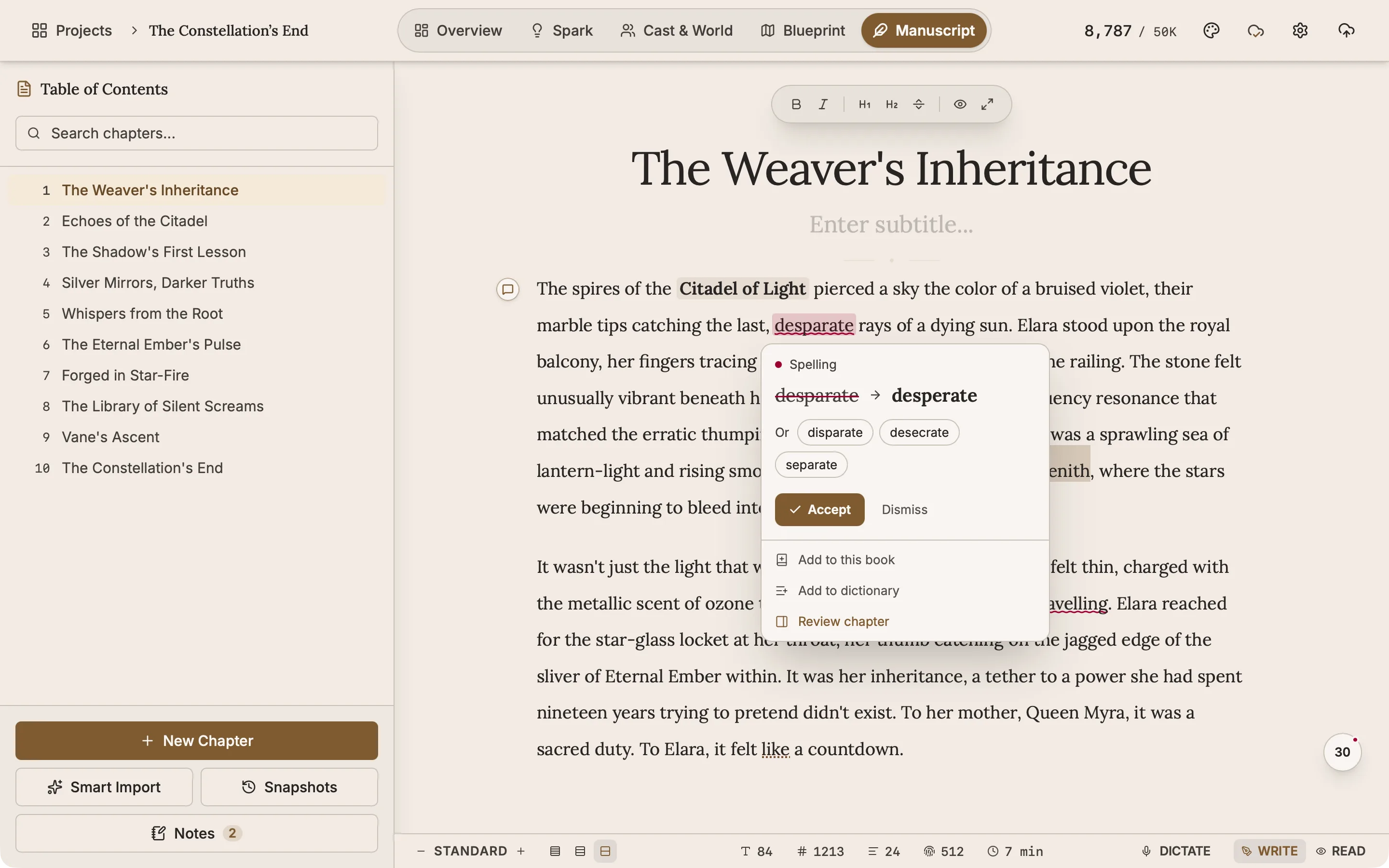
Misspelled words get a red underline in the Manuscript. Click one to see suggestions, pick the right word, or add it to your dictionary. Every name in your Cast and World is accepted, so invented names never fill the page with red.
27 dictionaries, offline
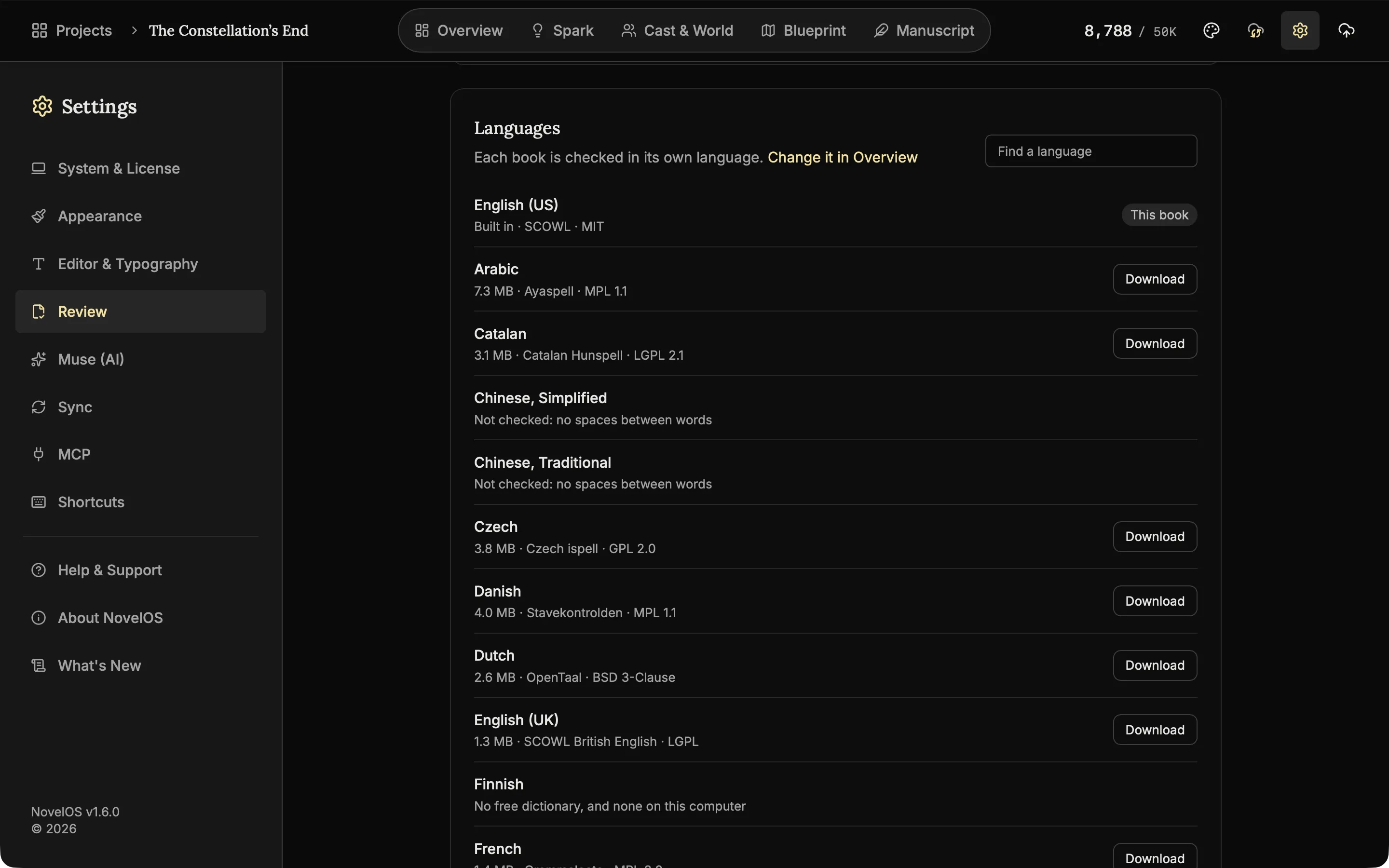
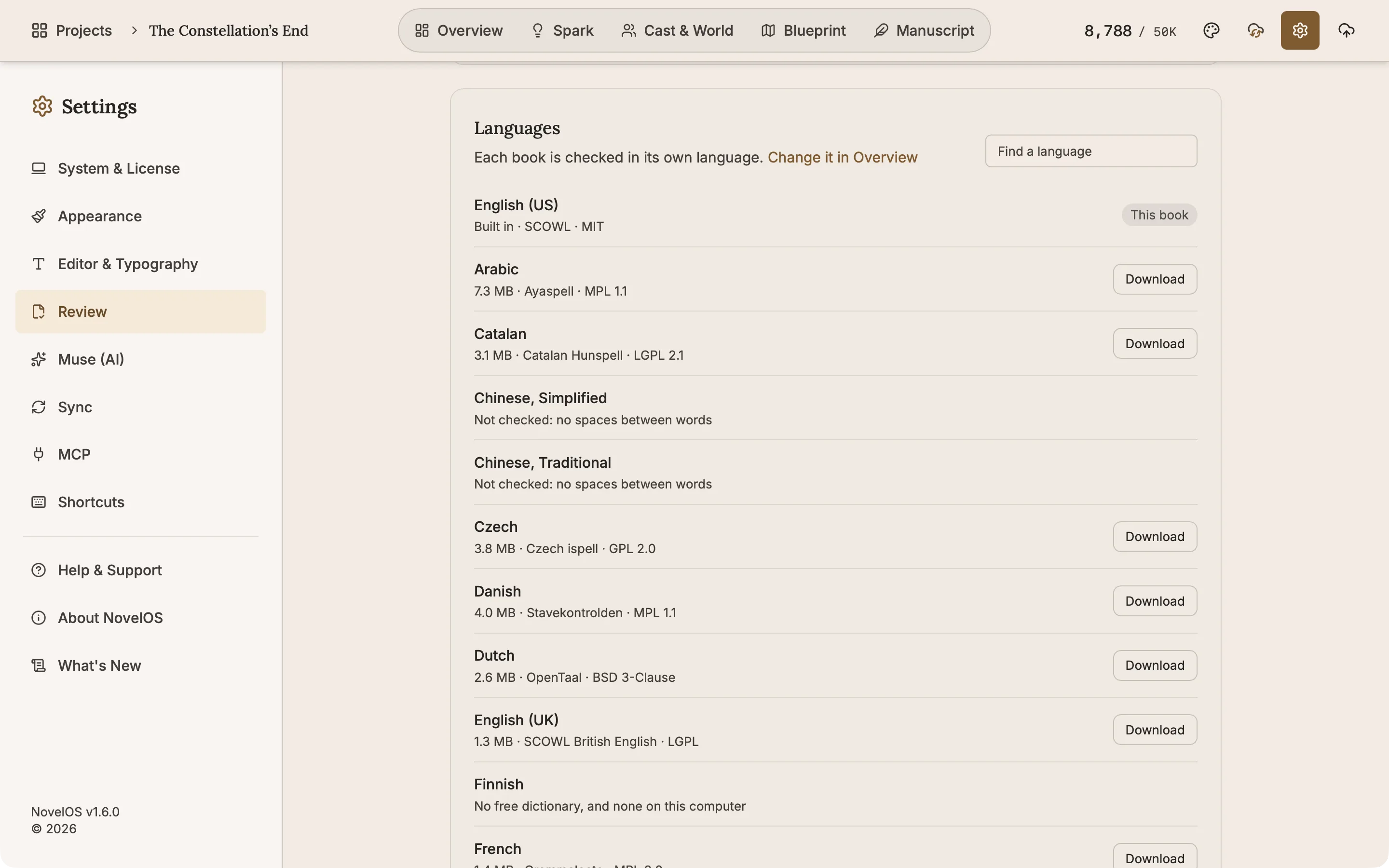
Spell check follows the language of each book. US English is built in, and 26 more dictionaries download once and then work offline, including British English, Spanish, French, German, Portuguese and Arabic. Japanese, Chinese and Thai books aren't checked.
Find overused and doubled words
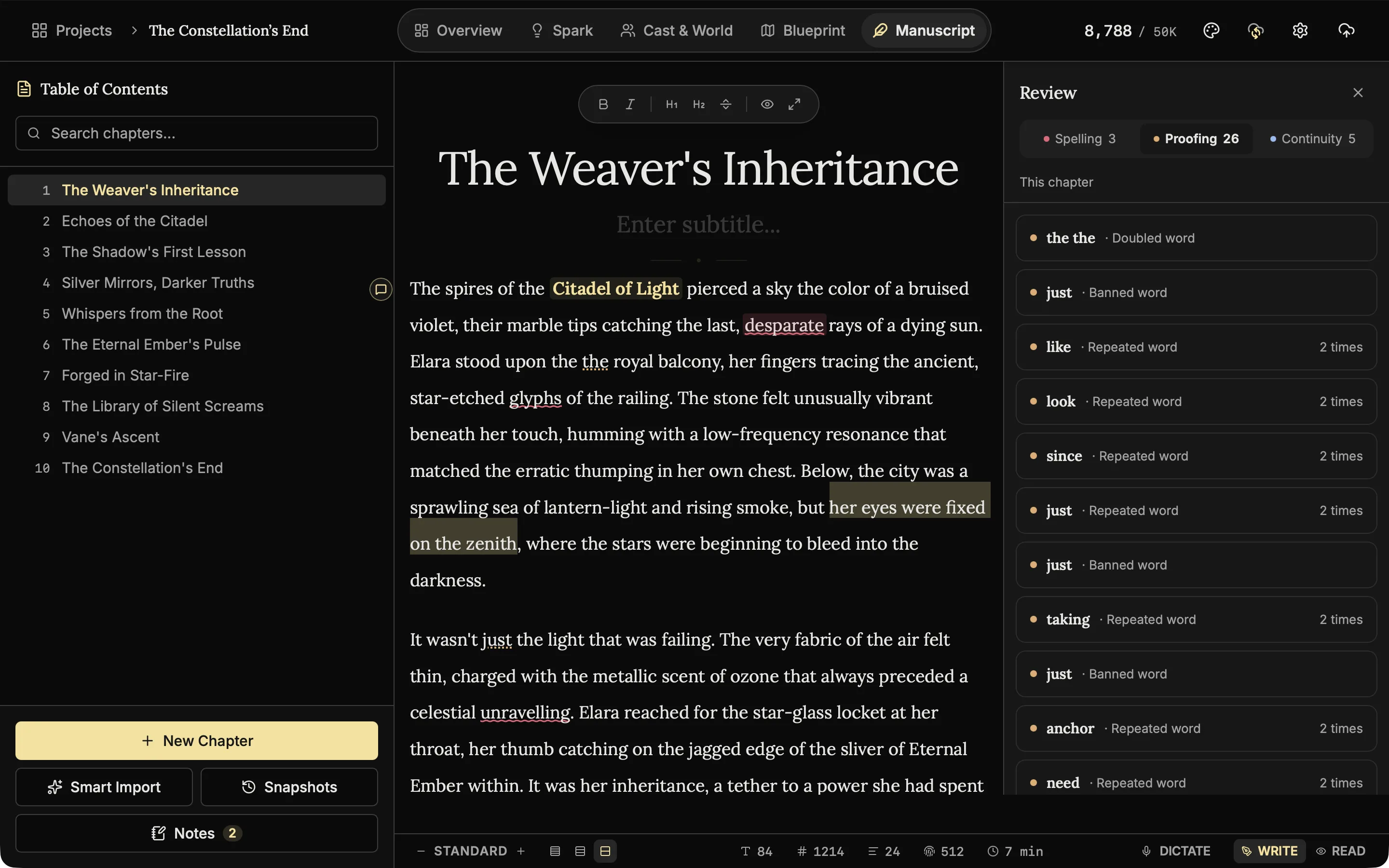
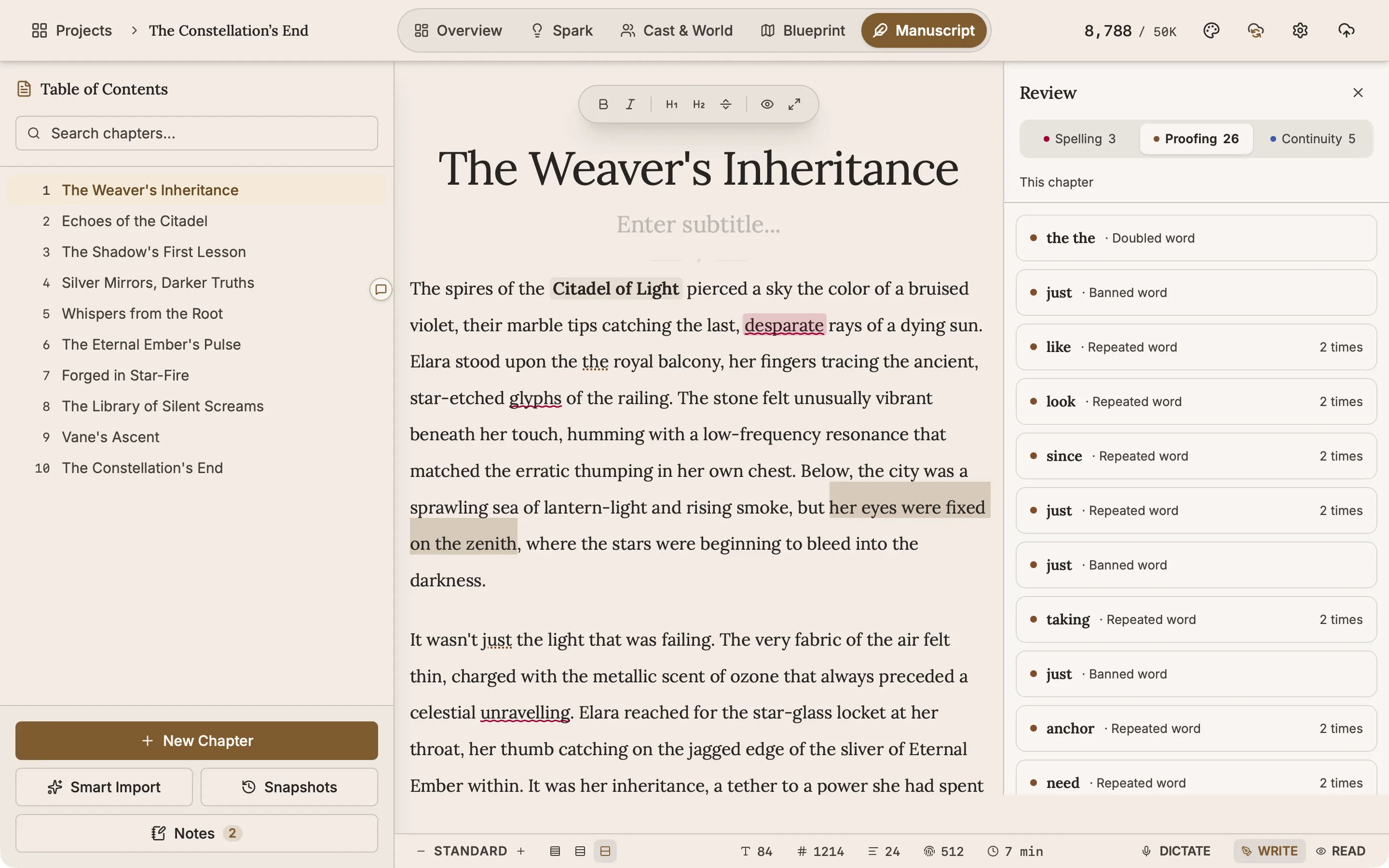
Proofing lists doubled words like "the the", words you repeat too close together, and the crutch words on your own banned list. Remove a doubled word in one click.
A continuity checker for your story
Continuity finds names spelled differently from their Cast or World entry, scenes out of timeline order, and characters who show up after the chapter they die in.
Review: Continuity
Continuity checks the whole book against your Cast and World: a name spelled differently from its entry, and a character who appears after the chapter they die in.
Good to know
- This book's words. Add to this book accepts a word in that book only, and it travels with the book when you sync or export it.
- Your own dictionary. Add to dictionary accepts a word in every book. Both lists are in Settings → Review.
- Names count as correct. Names from Cast and World are never marked, including each part of a longer name and its possessive.
- Your banned list. Add the words and phrases you want to avoid, for one book or for every book.
- Switch it off. Turn off Spell Check in Settings → Review and every underline goes.
Related features
Spell check and Review work inside the Manuscript, against the names in Cast and World.
- The manuscript editor
Write the book in chapters and sub-chapters, with spell check, a Review panel, Zen, Typewriter and Vanishing modes, and search that forgives typos.
- Characters and family trees
A page for every character, family trees built from your cast, and optional AI concepts from The Oracle.
- Places and lore
Every setting, item and rule of your world as a record you can search, illustrate and link to its scenes.
- The Alchemist, line edits
Select the words you want polished and get suggested rewrites, each with its reason, to accept or ignore. Optional AI.
Common questions
Does NovelOS have a grammar checker?
No. NovelOS checks spelling, repeated and banned words, and story continuity. For sentence rewrites, The Alchemist suggests new versions using your own AI key.
Will spell check flag my characters' names?
No. Every name in your Cast and World counts as a real word, and you can add any invented word to your dictionary.
Does spell check work offline?
Yes. US English works from the start. Other languages need one download, then work offline.
Which languages can it check?
27 dictionaries: US and British English, Spanish, French, German, Italian, Dutch, Portuguese (Brazil and Portugal), Russian, Ukrainian, Polish, Czech, Swedish, Danish, Norwegian (Bokmål and Nynorsk), Greek, Catalan, Turkish, Hungarian, Indonesian, Arabic, Hebrew, Hindi, Korean and Vietnamese.
Does Review use AI?
No. Proofing and Continuity run on your device. An optional Contradictions check uses your own AI provider, only when you ask.
Is it included in the $45?
Yes. Spell check and Review come with every licence, with no subscription.
Guides for revision
Exposition in Motion: Give Readers the Right Fact at the Right Moment
Place exposition where readers need it by testing what each fact helps them follow, judge, or reinterpret in the current scene.
Read article
Book Blurb vs Synopsis: Build Promise and Proof
Compare a book blurb with a synopsis, then use a promise-to-payoff ledger to write reader-facing copy and a spoiler-complete submission document.
Read article
A Clarity Test for Every Dialogue Tag
Test dialogue tags by speaker clarity, reset points, placement, action, and rhythm so readers never need to reconstruct who spoke.
Read articleWriting Tips & First Edition Access.
Craft guides and product updates in your inbox.
Finish your story. Keep your tools.
One payment and it is yours. No subscription, no account, no telemetry. Or try it free for 7 days on Windows, macOS or Linux.