Story Structure and Beat Sheet
Find a structure that serves the story's genre, central movement, and desired planning detail. The selector ranks compatible frameworks and turns your choice into manuscript milestones.
Best structural lenses for this story
Three-Act Structure
A flexible causal spine built around commitment, confrontation, and resolution. Watch for: Its broad acts still require specific turning points and escalating choices.
| Position | Beat | Planning question |
|---|---|---|
| 2% ~1,600 words | Opening state | What normal pattern is already unstable? |
| 12% ~9,600 words | Inciting disruption | What event makes the old course impossible to ignore? |
| 25% ~20,000 words | First plot point | What choice commits the protagonist to the central struggle? |
| 38% ~30,400 words | Rising pressure | How does resistance force a more costly tactic? |
| 50% ~40,000 words | Midpoint change | What revelation or commitment changes the meaning of the struggle? |
| 68% ~54,400 words | Consequences close in | Which earlier choice now creates the hardest pressure? |
| 78% ~62,400 words | Second plot point | What leaves the protagonist with one final course? |
| 92% ~73,600 words | Climax | Which irreversible action resolves the central dramatic question? |
| 98% ~78,400 words | New state | What consequence proves the story has changed? |
Use structure to diagnose the movement of a story
Three-act structure, Save the Cat, the Hero's Journey, romance beats, mystery investigation, and the Fichtean Curve describe different kinds of movement. A useful framework helps the writer find missing pressure or transformation while respecting the novel's tone and scale.
Treat the generated word positions as neighborhoods. A midpoint near fifty percent earns its place by changing the protagonist's understanding or commitment; the exact page can move with the story.
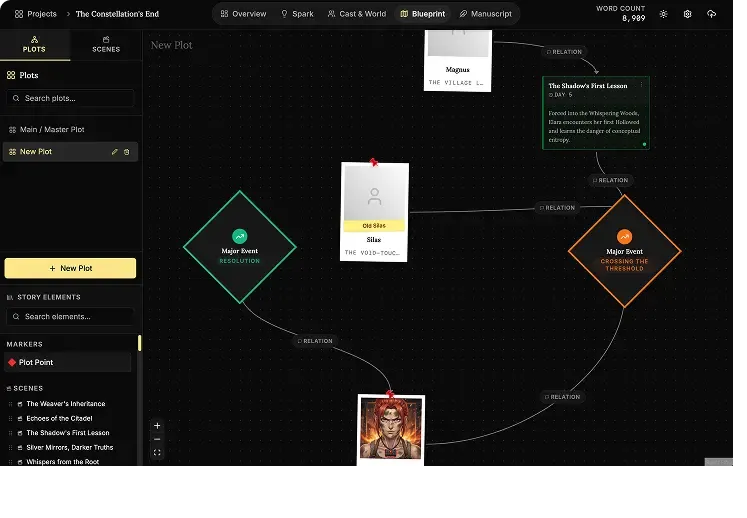
NovelOS Studio's Blueprint supports visual scene cards, spatial planning, plotlines, arcs, and Timeline View without locking a project to one formula. Generate a starting beat sheet here, then reshape it around the novel you are actually writing.
How to use this tool
- Describe the story's genre, length, arc pattern, and planning preference.
- Compare ranked structures with reasons, strengths, and cautions.
- Select a framework and generate beats at useful manuscript percentages.
- Edit, copy, or download the customized beat sheet.
What the workspace includes
- Ranks several frameworks against the story you describe
- Explains why a structure fits and where it may distort the story
- Converts beat percentages into word-count windows
- Produces an editable Markdown outline
From worksheet to working novel
Keep the plan. Build the whole book.
Bring this work into Visual plotting and Timeline View in NovelOS Studio, where your characters, world, scenes, timeline, goals, manuscript, and publishing exports stay connected in one private project.
- One-time purchase
- Windows and macOS
- Local-first privacy
Character Creation
The Oracle
Use AI to instantly brainstorm names, backstories, and personality traits for new characters whenever you are stuck.
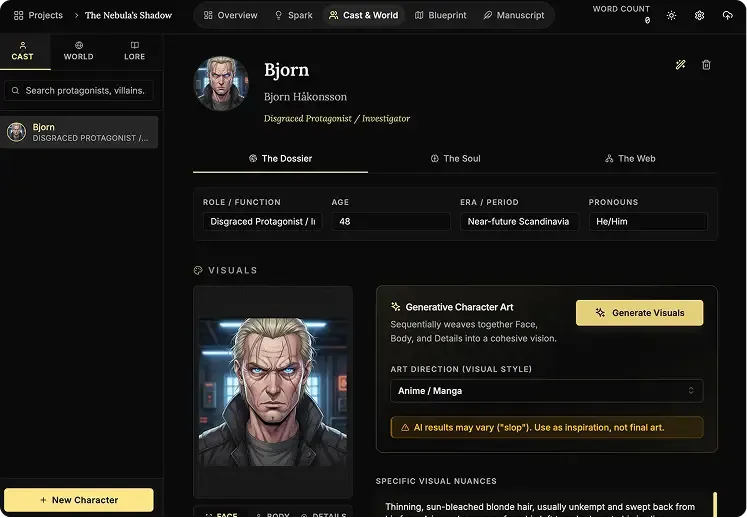
AI Portraits
Generate visual references for your cast inside the app so every character stays recognizable across the whole book.
Genealogy Editor
Map bloodlines, rivalries, and family connections on a drag-and-drop board built for complex character webs.
Worldbuilding
The Architect
Generate the foundations for magic systems, religions, and political factions when you need a strong starting point.
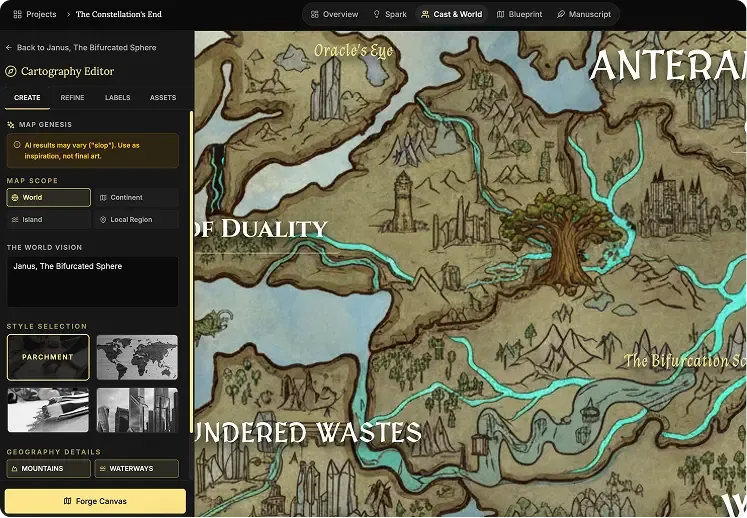
Cartography Editor
Auto-generate regional and topographic maps that give your fictional world a real sense of scale.
Lore Mechanics
Define hard rules for your setting so your history, technology, and magic stay consistent from draft to draft.
Focus Editor (Manuscript)
Zen Mode
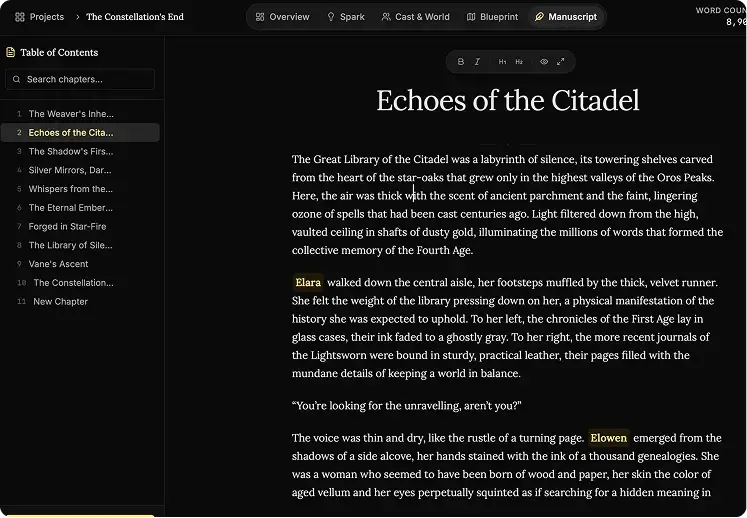
Hide every sidebar, menu, and visual distraction so it is just you and the page.
Vanishing Mode
Disable backtracking and force forward momentum when you need to finish the first draft without self-editing.
Smart Mentions
Type @ to reference characters, places, and lore without leaving the manuscript flow.
The Blueprint
Plots Canvas
Map story arcs visually, connect major beats, and spot structural gaps before they reach the manuscript.
Scene Cards
Plan each chapter with detailed scene blocks so the prose has a stronger narrative foundation.
Timeline View
Track pacing across characters and locations with a timeline built for multi-threaded stories.
Ideas Bank (Spark)
Infinite Canvas
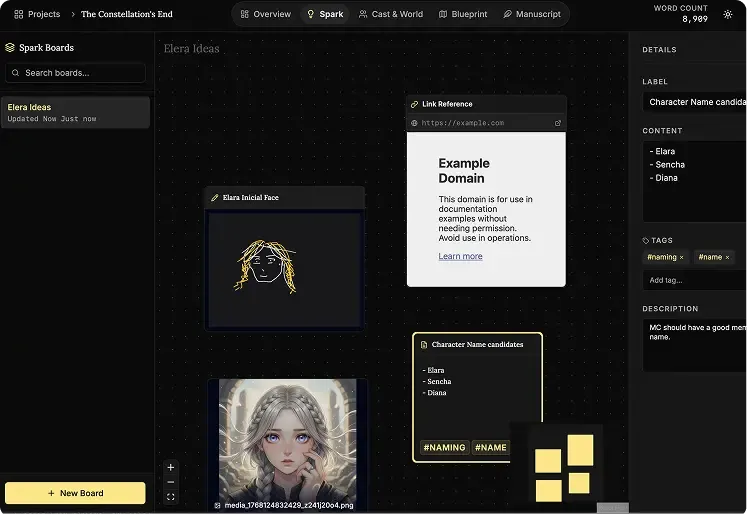
Dump notes, connect fragments, and cluster ideas on a giant digital board that feels freeform instead of rigid.
Multimedia Notes
Drop text, images, links, audio, and video onto the same board to keep all research in one place.
Mini-Browser
Research references inside the app without disappearing into a maze of external tabs.
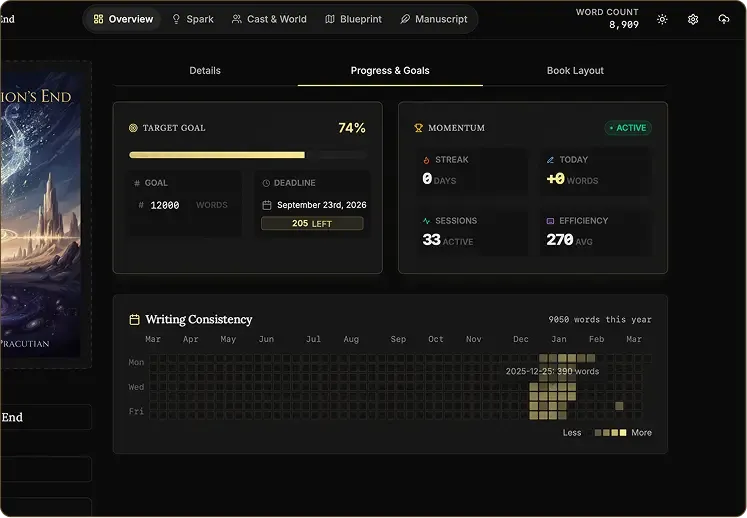
Goals Tracking
Daily Targets
See exactly how many words you need today to reach your deadline with less guesswork.
Heatmap Grid
Use a visual consistency tracker to protect your streak and keep the writing habit alive.
Pulse Analytics
Monitor momentum, output, and prose sharpness in real time so your progress stays measurable.
Writing Presets
Start with proven word-count goals like NaNoWriMo or Epic Novel targets in one click.