Character Relationship Map Maker
Map alliances, rivalries, family ties, secrets, debts, and asymmetric feelings. The diagram updates immediately and highlights isolated characters and heavily connected story hubs.
Drag characters to arrange the map. Directional arrows show who acts or feels toward whom.
Add a character
Add a relationship
Cast audit
- Mara · Investigator · 2 connections
- Ivo · Witness · 1 connection
- Sen · Rival · 1 connection
A relationship map reveals the pressure inside a cast
A cast list explains who exists. A relationship map explains why scenes between those people carry tension. Direction matters: admiration can be unreturned, loyalty can conceal resentment, and a secret can bind one character to another without the second person knowing.
Begin with characters who alter one another's choices. Give each connection a precise label. A debt, custody dispute, false identity, inherited duty, professional rivalry, or forbidden attraction gives the relationship dramatic work to perform.
NovelOS Studio develops this idea through Cast & World, Connections, character dossiers, genealogy, timelines, and manuscript mentions. The free mapper is useful for one network; NovelOS keeps the network attached to the whole evolving novel.
How to use this tool
- Add the important characters and optional story roles.
- Connect two characters and describe the relationship from one side to the other.
- Inspect the graph for isolated characters, overloaded hubs, and one-sided relationships.
- Export the visual map as SVG or preserve the editable data as JSON.
What the workspace includes
- Supports directional and mutual relationships
- Distinguishes allies, rivals, family, romance, secrets, and debts
- Flags isolated cast members and high-pressure relationship hubs
- Exports both a publication-ready vector and editable project data
From worksheet to working novel
Keep the plan. Build the whole book.
Bring this work into Connections and character genealogy in NovelOS Studio, where your characters, world, scenes, timeline, goals, manuscript, and publishing exports stay connected in one private project.
- One-time purchase
- Windows and macOS
- Local-first privacy
Character Creation
The Oracle
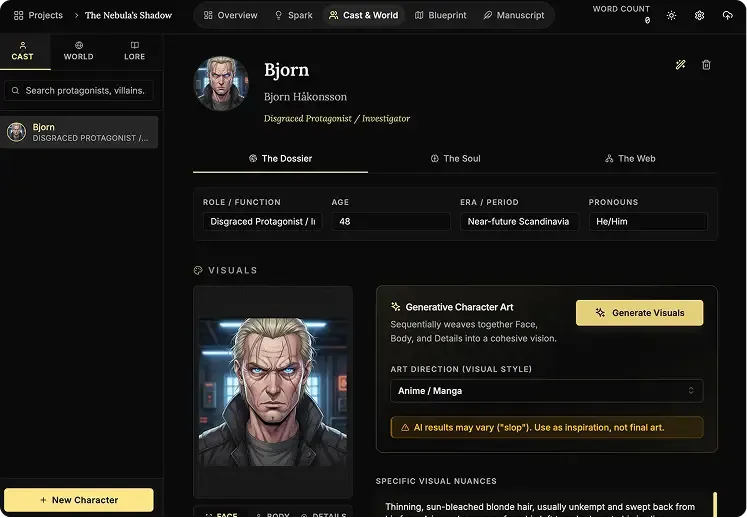
Use AI to instantly brainstorm names, backstories, and personality traits for new characters whenever you are stuck.
AI Portraits
Generate visual references for your cast inside the app so every character stays recognizable across the whole book.
Genealogy Editor
Map bloodlines, rivalries, and family connections on a drag-and-drop board built for complex character webs.
Worldbuilding
The Architect
Generate the foundations for magic systems, religions, and political factions when you need a strong starting point.
Cartography Editor
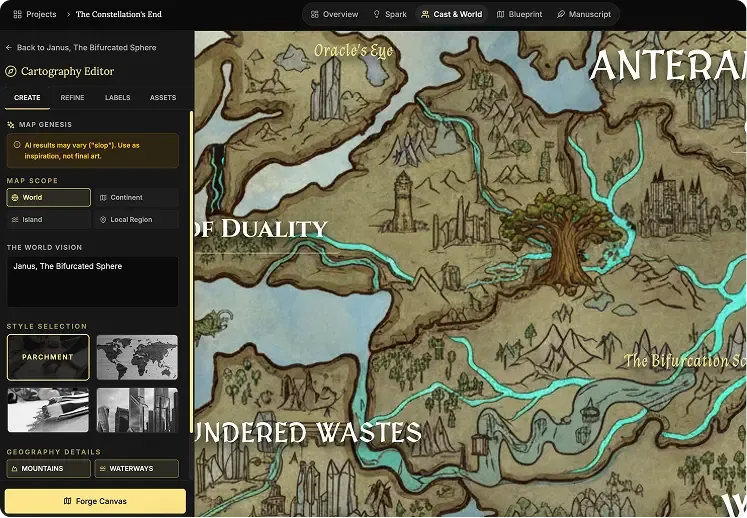
Auto-generate regional and topographic maps that give your fictional world a real sense of scale.
Lore Mechanics
Define hard rules for your setting so your history, technology, and magic stay consistent from draft to draft.
Focus Editor (Manuscript)
Zen Mode
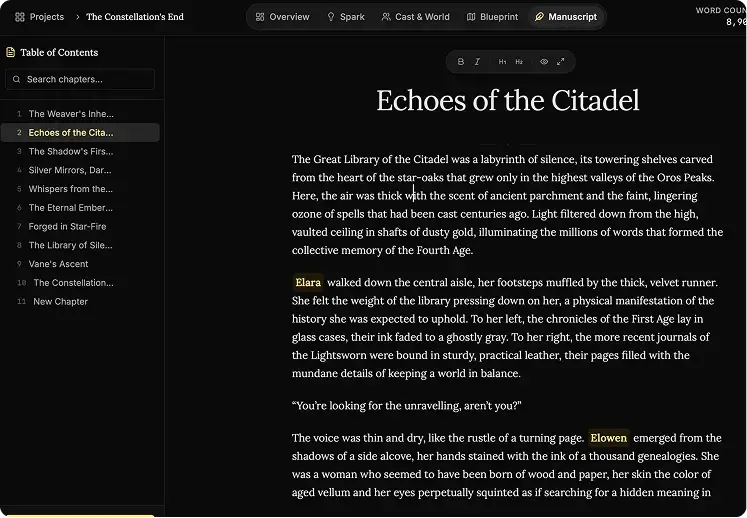
Hide every sidebar, menu, and visual distraction so it is just you and the page.
Vanishing Mode
Disable backtracking and force forward momentum when you need to finish the first draft without self-editing.
Smart Mentions
Type @ to reference characters, places, and lore without leaving the manuscript flow.
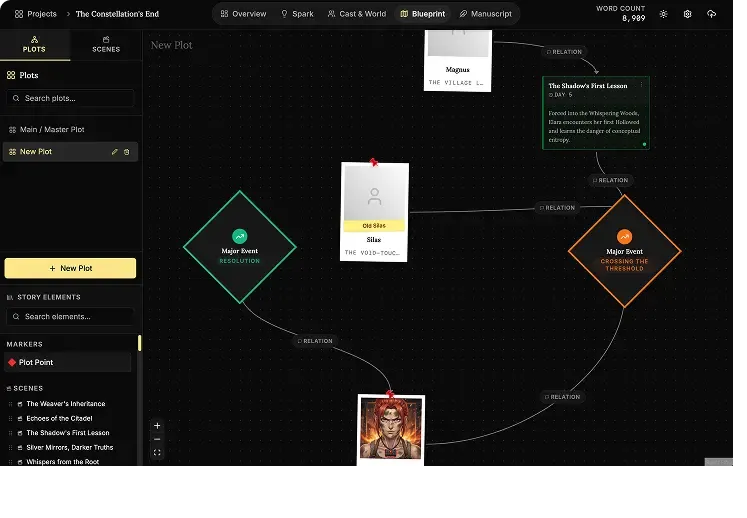
The Blueprint
Plots Canvas
Map story arcs visually, connect major beats, and spot structural gaps before they reach the manuscript.
Scene Cards
Plan each chapter with detailed scene blocks so the prose has a stronger narrative foundation.
Timeline View
Track pacing across characters and locations with a timeline built for multi-threaded stories.
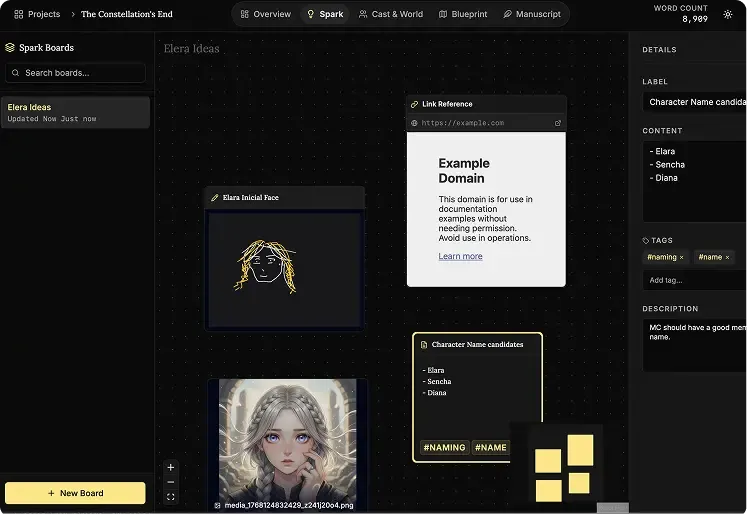
Ideas Bank (Spark)
Infinite Canvas
Dump notes, connect fragments, and cluster ideas on a giant digital board that feels freeform instead of rigid.
Multimedia Notes
Drop text, images, links, audio, and video onto the same board to keep all research in one place.
Mini-Browser
Research references inside the app without disappearing into a maze of external tabs.
Goals Tracking
Daily Targets
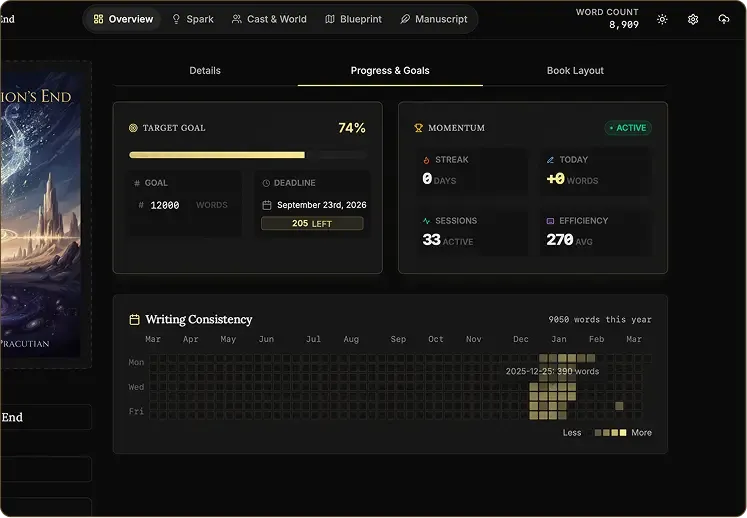
See exactly how many words you need today to reach your deadline with less guesswork.
Heatmap Grid
Use a visual consistency tracker to protect your streak and keep the writing habit alive.
Pulse Analytics
Monitor momentum, output, and prose sharpness in real time so your progress stays measurable.
Writing Presets
Start with proven word-count goals like NaNoWriMo or Epic Novel targets in one click.